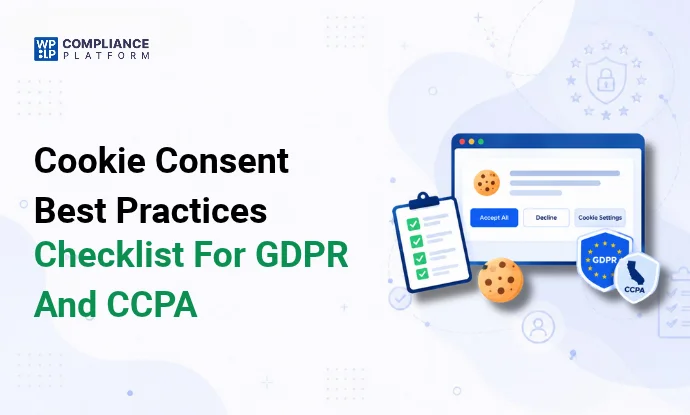
A cookie banner that shows a message and blocks nothing doesn’t get valid consent under GDPR. Neither does one with a bright Accept button and a Reject option 2 clicks deep.
These are the 10 practices that make cookie consent hold up: what to audit, what to block, how to design the banner, what to log, and how to test it.
Cookie types, in short
Cookies are small text files a site stores in the visitor’s browser. They remember logins, carts, and preferences. They also track visitors for analytics and ads.
For consent, sort them into 4 groups:
| Category | What it does | Example | Consent needed under GDPR? |
|---|---|---|---|
| Strictly necessary | Makes the site work: login, cart, security | WooCommerce cart cookie | No |
| Functional | Remembers choices: language, region | Language preference | Usually, unless the visitor asked for the feature |
| Analytics | Counts visits and tracks behavior | Google Analytics _ga | Yes |
| Marketing | Tracks visitors across sites for ads | Meta Pixel _fbp | Yes |
More detail: types of internet cookies.
What are the legal requirements?
The rules depend on where your visitors are. These laws set most of them for websites, and they work differently.
ePrivacy Directive (EU)
The ePrivacy Directive (2002/58/EC, updated in 2009) is the EU “cookie law”. Article 5(3) says you need consent before you store or read any non-essential cookie on a visitor’s device. Strictly necessary cookies are exempt.
Each EU country writes the Directive into its own national law, and national regulators set the fines. The UK has its own version, PECR.
GDPR (EU)
GDPR sets the standard for what counts as valid consent. It applies to any business that handles the personal data of people in the EU, wherever the business is. Cookie IDs and IP addresses count as personal data.
Under GDPR, consent must be:
- Freely given. No cookie walls that block the site until the visitor accepts.
- Specific. Separate choices for separate purposes.
- Informed. The visitor knows which cookies, why, and who gets the data.
- Unambiguous. A clear action, such as a click. Scrolling does not count. Pre-ticked boxes do not count.
You must also be able to prove consent (Art. 7(1)), and withdrawing consent must be as easy as giving it (Art. 7(3)).
Using Google Analytics or a Facebook Pixel does not move the duty to Google or Meta. You are responsible for the cookies your site sets.
More: GDPR compliance checklist.
UK PECR and UK GDPR
The UK uses the same opt-in model. PECR (regulation 6) is the UK’s cookie law, and the UK GDPR sets the consent standard. The ICO says continued browsing is not valid consent.
One difference: since 5 February 2026, the Data (Use and Access) Act 2025 lets 2 kinds of low-risk cookies run without consent. These are cookies used only for statistics to improve your site, and cookies used only for its appearance or functions. Visitors must still get clear information and a simple way to object. Ad cookies still need consent.
CCPA (California)
The CCPA, as amended by the CPRA, uses opt-out. You can set most cookies before the visitor acts, but you must let them opt out of the “sale” or “sharing” of their data. Ad and cross-site tracking cookies usually count as sharing.
The CCPA applies to for-profit businesses that collect California residents’ personal data and meet at least 1 of these:
- Annual gross revenue over $26,625,000 (the 2025 adjusted figure; it is updated every 2 years).
- Buy, sell, or share the personal data of 100,000 or more California consumers or households a year.
- Earn 50% or more of annual revenue from selling or sharing personal data.
If it applies to you:
- Add a “Do Not Sell or Share My Personal Information” link.
- Honor Global Privacy Control (GPC) signals from the visitor’s browser as an opt-out. The CCPA regulations require this (Section 7025). Apply the opt-out to that browser without asking the visitor to confirm it.
- Get opt-in consent before you sell or share the data of consumers under 16 (a parent’s consent if they are under 13).
- If you use sensitive personal data beyond what the law allows by default, add a “Limit the Use of My Sensitive Personal Information” link.
A cookie banner alone isn’t enough under the CCPA. The CCPA regulations (Section 7026(a)(4)) say a cookie banner or cookie controls are not, on their own, an acceptable way to opt out of sale or sharing. Cookies concern the collection of data, and an opt-out covers its sale or sharing. Your banner can link to the opt-out, but you still need the “Do Not Sell or Share” link and a working opt-out process.
More: CCPA guide.
LGPD (Brazil)
Brazil’s LGPD treats consent as 1 of 10 legal bases. Where you rely on it, consent must be free, informed, and unambiguous, for a stated purpose, and easy to withdraw. Brazil’s data protection authority (ANPD) published cookie guidance in 2022. It expects consent for most non-essential cookies, and a banner that offers a real way to refuse.
Other laws
Many US state laws (Virginia, Colorado, Connecticut, Texas, and others) follow an opt-out model similar to the CCPA. Several also require businesses to honor universal opt-out signals such as GPC. Laws apply based on where your visitors are, not only where your business is. Full list: data privacy laws by country.
Cookie consent best practices
1. Find and sort every cookie
You can’t ask consent for cookies you don’t know about. Start with an audit.
For each cookie, record:
- Name and domain.
_gaon your domain,_fbpfrom Meta, and so on. - Purpose. What it does, in one plain line.
- Category. Necessary, functional, analytics, or marketing.
- Duration. Session, 30 days, 2 years.
- Third party. Who sets it and who receives the data.
A cookie scanner does most of this. Then check the results by hand. Pages behind a login and scripts that load only on some pages can slip past a scan.
Run the audit again each time you add a plugin, a form, or a tracking tool. This list is also the core of your cookie policy.
2. Block non-essential cookies until consent
This is the step most banners skip.
Analytics, ad, and social scripts must not load until the visitor says yes. YouTube, Vimeo, and Google Maps embeds set cookies too, so block them as well.
Test it. Open your site in a private window, then open Chrome DevTools > Application > Cookies. If _ga or _fbp is there before you click anything, your banner is not blocking.
Some scripts must always run, for example a payment script at checkout. Add those to a whitelist. (Why a whitelist approach works.)
3. Give Accept and Reject equal weight
Put Accept, Reject, and Customize on the first layer of the banner. Use the same size, color weight, and position for Accept and Reject.
A bright “Accept all” next to a grey “Settings” link pushes visitors to accept. EU regulators have fined large sites for this pattern.
4. Offer choice by category
Let visitors accept analytics and refuse marketing, or the other way around. One “Accept all” switch does not meet GDPR’s “specific” rule.
5. Write in plain language
Say what you use cookies for and who gets the data, in 1 or 2 short sentences. Link to your cookie policy for the detail.
Avoid “We use cookies to improve your experience.” It tells the visitor nothing.
6. Make the banner accessible
Follow WCAG 2.2:
- Text contrast of at least 4.5:1 against the background.
- Every button works with the keyboard, with a visible focus outline.
- Screen readers announce the banner and read the buttons in order.
- The banner stays usable at 200% zoom and on small phone screens.
7. Let visitors change their mind
Keep a small cookie settings button on every page, usually in a bottom corner or the footer. One click should open the preference center.
8. Log every consent
Keep a record of each decision. Details in the next section.
9. Ask again when things change
When you add cookies or change how you use the data, the old consent does not cover the new purpose. Ask again. Many sites also re-ask on a fixed schedule.
Designing an effective consent banner
Placement and visibility
Put the banner at the bottom or top of the screen, or in a corner box. It should be visible on the first page view without hiding the content the visitor came for.
A center popup that dims the page works only if Reject sits on the first screen. A popup with only “Accept” and “Settings” is close to a cookie wall.
Placement options with examples: how to add a cookie banner in WordPress.
Preference center
The preference center is the panel that opens from “Customize” or the cookie settings button. It lists each cookie category with:
- A toggle, off by default for everything except strictly necessary cookies.
- A 1-line description of what the category does.
- The cookies in that category, with their duration and provider.
- A Save button.
Visitors should reach it at any time without leaving the page.
Balancing user experience and compliance
You want a high consent rate. You also need consent that is valid. Both are possible.
- Keep the banner short. Visitors decide in seconds.
- Match your site’s colors and fonts, so the banner looks like part of the site.
- Test 2 versions and compare consent rates. (Cookie banner A/B testing.)
- Don’t use tricks to raise the rate: pre-ticked boxes, hidden Reject buttons, or banners that come back after every refusal.
Good vs bad banners
| Good banner | Bad banner | |
|---|---|---|
| Message | 1 to 2 plain sentences | A paragraph of legal text |
| Buttons | Accept all, Reject all, Customize, same weight | Large Accept, Reject hidden in Settings |
| Defaults | Non-essential categories off | Boxes pre-ticked |
| Policy link | Visible in the banner | Missing or in the footer only |
| Blocking | Scripts wait for consent | Trackers load on page view |
| Readability | High contrast, readable font size | Light grey text, small font |
More: cookie consent banner examples.
Obtaining valid consent
Explicit vs implied consent
Explicit consent means the visitor takes a clear action, such as clicking Accept. Implied consent assumes agreement from continued browsing.
For non-essential cookies, GDPR and UK law require a clear action. Implied consent does not count in the EU or UK, and the ICO says so directly. Full comparison: implied vs explicit cookie consent.
Opt-in vs opt-out
| Opt-in | Opt-out | |
|---|---|---|
| Cookies before the visitor acts | Only strictly necessary | Can load |
| Visitor action | Says yes to turn cookies on | Says no to turn them off |
| Used by | GDPR and ePrivacy (EU), UK GDPR and PECR | CCPA and most US state laws |
If you get visitors from both the EU and the US, you have 2 choices. Use opt-in for everyone, which is simpler. Or show each visitor the banner for their region. (Geo-targeting a cookie banner.)
How your visitors’ location changes the banner
| Visitor from | Banner type | Before the visitor acts | What the banner needs |
|---|---|---|---|
| EU | Opt-in | Only strictly necessary cookies | Accept, Reject, and Customize on the first layer. Policy link |
| UK | Opt-in | Strictly necessary, plus exempt statistics and functional cookies if you rely on the 2026 exemption | Same as the EU. Explain any exempt cookies and how to object |
| California | Opt-out | Cookies can load | “Do Not Sell or Share” link, GPC honored, a working opt-out |
| Brazil | Opt-in (usual practice) | Only strictly necessary cookies | A clear way to refuse, policy link |
| Other US states with privacy laws | Opt-out | Cookies can load | Opt-out link. Honor GPC where the state requires it |
Make withdrawal as easy as consent
If Accept took 1 click, withdrawing should take about 1 click too. That is GDPR Art. 7(3).
In practice:
- A cookie settings button on every page, or a link in the footer.
- The preference center opens with the visitor’s current choices.
- Turning a category off stops those cookies from that point on.
- No email, no account, no form needed to withdraw.
Keep a record of every consent
GDPR says you must be able to show that a visitor consented. A consent log is your proof if a regulator or a visitor asks.
For each decision, record:
- Who. An anonymous consent ID, plus the IP address if your policy allows it.
- When. Date and time.
- What. Which categories were accepted and which were refused.
- How. Which banner version and text the visitor saw.
- Changes. Each later update or withdrawal, with its own timestamp.
Store logs securely, limit who can see them, and keep them as long as the consent is in use plus a reasonable period after. Make sure you can export them for an audit.
More: consent audit and logging best practices.
Choosing a cookie consent tool
Check any tool against these points:
- Blocks scripts and embeds before consent, not only a notice.
- Scans the site for cookies and sorts them.
- Logs consent and lets you export the logs.
- Equal Accept and Reject, plus a preference center.
- Supports Google Consent Mode v2 if you use Google Ads or Analytics.
- Supports IAB TCF if you sell ads through TCF-based networks. (What is IAB TCF.)
- Handles your laws: GDPR, CCPA, and any others your visitors bring.
For a side-by-side list, see WordPress cookie plugins compared and what is a consent management platform.
How WPLP Cookie Consent covers these practices
WPLP Cookie Consent is a free WordPress plugin. On the Free plan (1 site) you get:
- A cookie scanner: 5 scans a month, up to 100 pages per scan.
- Script and embed blocking, with a whitelist.
- A banner with Accept and Reject buttons, a preference center, and templates. GDPR, CCPA, LGPD, and COPPA are covered.
- Consent logs stored in your own WordPress database, with withdrawal and scheduled re-consent.
- Google Consent Mode v2, plus GPC and Do Not Track support.
- Browser-language matching in 50+ languages, and A/B testing.
Paid plans add more sites and scans, IAB TCF, auto-detect law by visitor location, geo-targeting, and more laws (ePrivacy, UK GDPR, PIPEDA, PDPL, APP). See pricing.
Limits to know: the Free plan covers 1 site and 20,000 banner pageviews a month, and it works on WordPress only. No plugin makes a site compliant on its own. You still need to check the scan, test the banner, and keep your cookie policy current.
Your banner should link to a cookie policy. WPLP Legal Pages and the GDPR cookie policy generator make one. How-to: create a cookie policy for your website.
Step-by-step setup: how to add a cookie banner in WordPress.
FAQ
What is the purpose of cookie consent?
Cookie consent tells visitors which cookies your site uses and asks permission before setting non-essential ones. It also gives you a record that shows each visitor agreed.
Does the CCPA require a cookie banner?
No. The CCPA requires a “Do Not Sell or Share” opt-out link, a working opt-out process, and respect for GPC signals. A cookie banner on its own doesn’t count as an opt-out method under the CCPA regulations. Your banner can link to the opt-out, but it can’t replace it.
Do strictly necessary cookies need consent?
No. Cookies a site needs to work, such as login, cart, and security cookies, are exempt under the ePrivacy Directive. List them in your cookie policy anyway.
How often should I ask for consent again?
Ask again when you add cookies or change how you use the data. Many sites also re-ask on a fixed schedule. Check your national regulator’s guidance for the period it expects.
Not sure where your site stands? Run a free website compliance audit.