Summary
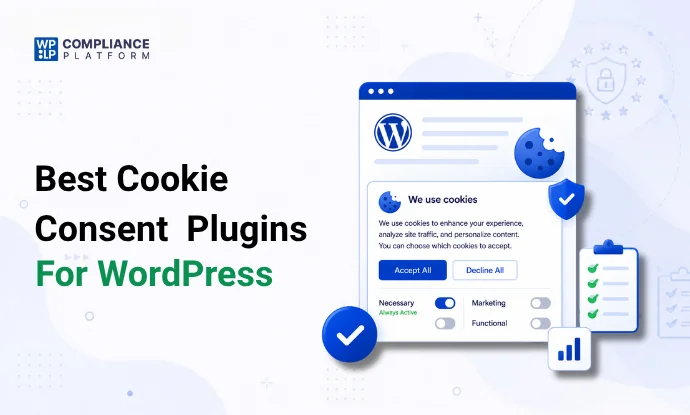
If your website uses analytics tools, advertising pixels, embedded videos, live chat widgets, or other tracking technologies, you likely need a cookie consent solution.
Privacy regulations such as GDPR, CCPA, LGPD, and the ePrivacy Directive require websites to inform users about cookies and, in many cases, obtain consent before non-essential cookies are activated.
The challenge is choosing the right plugin.
Some WordPress cookie plugins focus on simple consent banners. Others provide advanced features like automatic cookie scanning, consent logging, geo targeting, script blocking, and Google Consent Mode v2 integration.
To help you choose, we compared 12 cookie consent plugins that are all listed on WordPress.org. For each one we list what the free version covers, whether you need an account with the vendor, active installs and the starting price.
This guide covers WordPress plugins only. If you are comparing consent management platforms more broadly, including SaaS tools that work on any website, see our guide to the best consent management platforms.
How We Evaluated These WordPress Cookie Plugins
Not every cookie plugin offers the same level of compliance.
For this comparison, we focused on the features that matter most to website owners in 2026:
- Cookie consent banner customization
- Automatic cookie scanning
- Script blocking capabilities
- Google Consent Mode v2 support
- Consent logging and record keeping
- GDPR and CCPA compliance support
- Ease of setup
- Performance impact
- Active development and updates
- Value for money
For every plugin, we:
- Read its WordPress.org listing, including what the free version covers and whether it needs an account with the vendor
- Recorded its active installs from WordPress.org
- Read its official pricing page and recorded the cheapest paid plan
These details come from each vendor’s official documentation, WordPress.org listing and pricing page, checked on November 10, 2026. Unless a section is marked as tested, nothing in this comparison comes from hands-on testing. Features and prices change often, so confirm them on the vendor’s site before you buy.
What to Look for in a WordPress Cookie Plugin
Choosing a WordPress cookie plugin is no longer just about displaying a cookie banner.
Modern compliance requires several advanced capabilities.
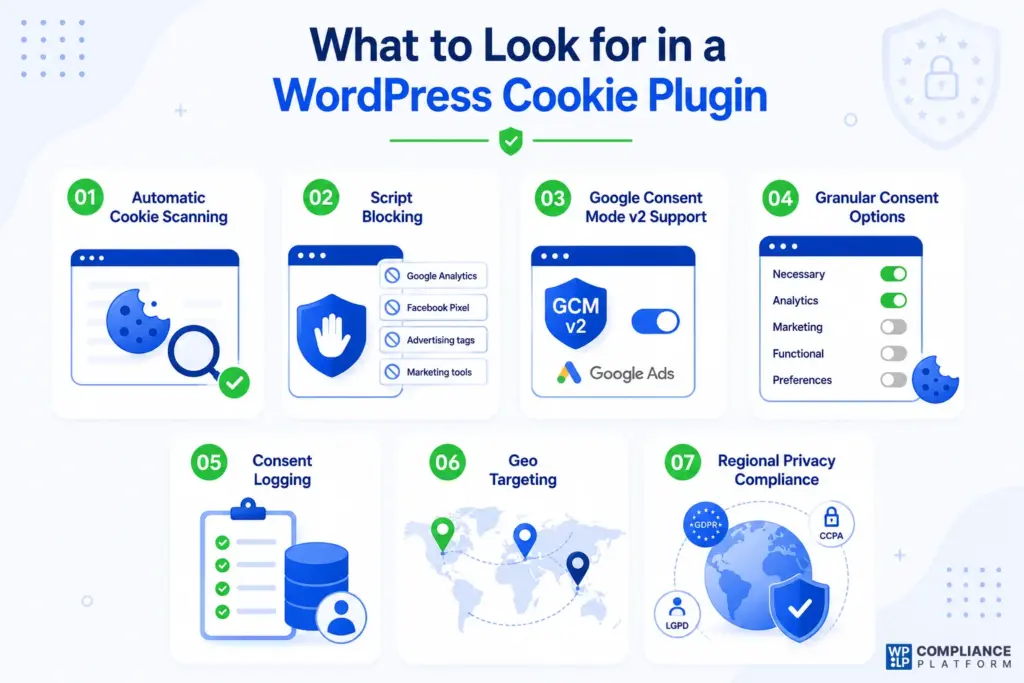
Automatic Cookie Scanning
The best plugins automatically scan your website and identify cookies being used.
This saves time and reduces the risk of missing cookies that should be disclosed.
Script Blocking
A cookie banner alone is not enough.
The plugin should block non-essential scripts until consent is given. This includes tools such as:
- Google Analytics
- Facebook Pixel
- Advertising tags
- Marketing automation tools
Google Consent Mode v2 Support
Consent Mode v2 is a Google requirement, not a law. If you use Google Ads or Google Analytics with visitors in the EEA or UK, Google needs consent signals sent through Consent Mode v2 for ad personalization and measurement. See Google’s Consent Mode documentation.
If you use Google Ads, this feature should be near the top of your checklist.
Granular Consent Options
Visitors should be able to choose which categories of cookies they want to allow.
Common categories include:
- Necessary
- Analytics
- Marketing
- Functional
- Preferences
Consent Logging
Many privacy laws require businesses to demonstrate consent when requested.
Consent logs help maintain records of user choices.
Geo Targeting
Different countries have different privacy requirements.
Geo targeting allows you to display different consent experiences based on a visitor’s location.
Price
Cookie plugins range from free to well over $100 a year. Check what the cheapest paid plan includes, how many sites it covers, and whether the price goes up after the first year.
Best WordPress Cookie Plugins Compared
Before diving into individual reviews, here’s a quick comparison. Every plugin has a free version. “Vendor account” means the plugin connects to the vendor’s own platform instead of running only inside WordPress.
| Plugin | Best For | Vendor account | GCM v2 | Auto Scanning | Active installs | Starting price |
|---|---|---|---|---|---|---|
| WPLP Compliance Platform | Legal Pages + Consent | Optional | Yes | Yes | 9,000+ | $48/year (3 sites) |
| Cookiebot | Enterprise Compliance | Required | Yes | Yes | 100,000+ | €7/month |
| Complianz | Regional Compliance | Not needed | Yes | Yes | 1+ million | $59/year |
| Termly | Simplicity | Required | Yes | Yes | 80,000+ | $10/month, billed yearly |
| CookieYes | Automation | Optional | Yes | Yes | 1+ million | $10/month |
| iubenda | Multi-Site Compliance | Optional | Yes | Yes | 200,000+ | $5.99/month, billed yearly |
| GDPR Cookie Compliance | Small Businesses | Not needed | Partial | No | 300,000+ | £59/year |
| Real Cookie Banner | Advanced Customization | Not needed | Yes | Yes | 100,000+ | €59/year (incl. VAT) |
| Cookie Compliance for WordPress | Lightweight Consent | For full features | With account | No | 800,000+ | $14.95/month |
| WPWax Legal Pages | Legal Templates | Not needed | No | No | 8,000+ | $25/year (renews at $29) |
| WPConsent | Self-Hosted Consent | Not needed | Yes | Yes | 200,000+ | $49.50/year (first year) |
| FooBar | Simple Notice Bar | Not needed | No | No | 3,000+ | $39.99/year |
Pricing checked: November 10, 2026. Prices can change, so check each vendor’s pricing page before buying.
1. WPLP Compliance Platform
Best for Websites That Need Legal Pages and Cookie Consent in One Platform
Most WordPress cookie plugins focus only on consent banners.
The WPLP Compliance Platform takes a different approach by combining cookie consent management and legal document generation in a single dashboard.
For website owners who need both privacy compliance and legal pages, this significantly reduces complexity.
Instead of installing separate tools for cookie consent, privacy policies, disclaimers, terms and conditions, and disclosures, everything can be managed from one place.
Why We Like It
The biggest advantage is convenience.
You can manage legal documents and cookie consent in one place instead of running two plugins.
The setup process is straightforward and beginner-friendly. Even non-technical website owners can launch compliant legal pages and cookie banners quickly.
Key Features
- Pre-built Templates: Includes 30+ templates, such as GDPR-compliant privacy policies, terms of service, and cookie policies.
- GDPR Cookie Consent: Displays customizable cookie consent banners for GDPR compliance.
- Dynamic Privacy Policy: Automatically updates your privacy policy based on your site’s features.
- Global Compliance and Geo-targeting: Supports GDPR, CCPA, LGPD and other privacy laws, and, on paid plans, shows the right banner for each region.
- Easy Integration: Works with most WordPress themes and plugins.
- Customizable Cookie Banners: Match your banner to your site’s style while keeping users informed about cookie usage.
- Granular Consent Management: Users can select which types of cookies (e.g., analytics, marketing, or functional) they want to allow.
- Multilingual Support: Display cookie banners in 50+ languages.
- A/B Testing: Find out which cookie banner performs best.
Pros
- Cookie consent and legal pages in one platform
- Easy setup and configuration
- Supports major privacy regulations
- Strong customization options
- Helpful compliance dashboard
Cons
- Geo-targeting is paid only, and the free plan stops showing the banner after 20,000 pageviews a month
Best For
Website owners who want both legal pages and cookie consent management without using multiple plugins.
Pricing
Free version available. Paid plans start at $48/year for 3 sites, with every feature included.
WordPress.org Availability
Available on WordPress.org as WPLP Cookie Consent. The free version includes the cookie banner, cookie scanner (5 scans a month), script blocking, consent logs and Google Consent Mode v2 for one site.
2. Cookiebot
Best for Enterprise Websites and Large Compliance Teams
Cookiebot is one of the most recognized cookie consent solutions on the market.
Unlike many basic WordPress cookie plugins, Cookiebot focuses heavily on automation, large-scale compliance management, and consent record keeping.
It is particularly popular among organizations operating in multiple countries that need advanced compliance controls.
Why We Like It
Cookiebot excels at automation.
The automatic cookie scanning feature works well and reduces the need for manual cookie classification. For larger websites with hundreds or thousands of pages, this can save a significant amount of time.
It also sends consent signals to Google through Consent Mode v2.
Key Features
- Automatic cookie scanning
- Google Consent Mode v2 support
- Consent logging
- Cookie declaration generation
- Script blocking
- Multilingual support
- Geo targeting
- Automatic policy updates
Pros
- Strong automation capabilities
- Excellent Google Consent Mode support
- Detailed consent records
- Good multilingual support
- Enterprise-ready compliance features
Cons
- Pricing increases as website traffic grows
- Banner customization options can feel limited
- Needs a Cookiebot account; the free plan covers 1 domain with up to 50 subpages
Best For
Large websites, agencies, and businesses operating internationally.
Pricing
Free plan for 1 domain under 50 subpages. Premium starts at €7/month (Lite) and rises with page count.
3. Complianz
Best for Global Websites Managing Multiple Privacy Regulations
Complianz has become one of the most popular WordPress cookie plugins because it handles compliance across multiple regions from a single platform.
Whether your visitors come from Europe, California, the UK, Canada, or Australia, Complianz can adapt consent experiences accordingly.
Why We Like It
Its strongest point is region-specific compliance, and the core plugin runs entirely on your own WordPress server.
Instead of forcing every visitor into the same consent flow, Complianz adjusts based on local privacy requirements.
This is especially valuable for websites serving international audiences.
Key Features
- Automatic cookie scanning
- Google Consent Mode v2 support
- Regional compliance settings
- Cookie policy generation
- Consent records
- Geo targeting
- Integration with popular plugins
- A/B testing
Pros
- Excellent regional compliance support
- Easy setup wizard
- Strong Google Consent Mode implementation
- Frequent updates
- Good documentation
Cons
- Some advanced features require the premium version
- Banner placement options are somewhat limited
- Large websites may require additional configuration
Best For
Businesses serving visitors across multiple countries.
Pricing
Free version available. Premium starts at $59/year for 1 site.
4. Termly
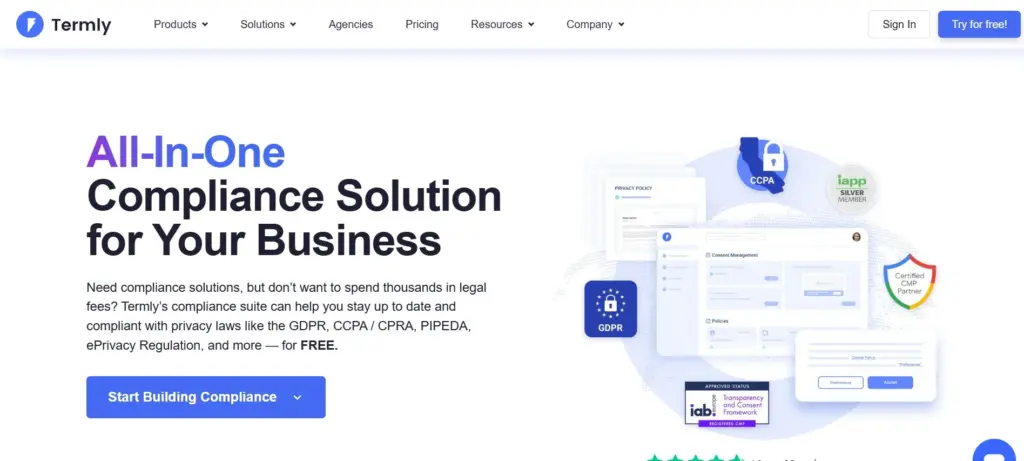
Best for Small Businesses That Want Simplicity
Termly combines cookie consent management with legal policy generation.
Its focus is simplicity rather than technical complexity.
For many small businesses, that is exactly what makes it attractive.
Why We Like It
The setup process is extremely straightforward.
Even users with little compliance experience can quickly launch a consent banner and start meeting basic privacy requirements.
The automatic cookie categorization also reduces manual work.
Key Features
- Cookie scanning
- Automatic cookie categorization
- Consent banner customization
- Script blocking
- Consent logs
- Multi-language support
- Privacy policy tools
- Geo-targeted consent
Pros
- Beginner friendly
- Easy setup process
- Good balance of compliance and usability
- Includes legal policy tools
- Helpful dashboard
Cons
- Customization options are more limited than those of competitors
- Advanced features require paid plans
- Needs a Termly account, and the free banner switches off after 10,000 unique visitors a month
Best For
Small businesses, bloggers, and website owners looking for a simple compliance solution.
Pricing
Free plan available. Starter costs $10/month per site, billed yearly ($14 billed monthly).
5. CookieYes
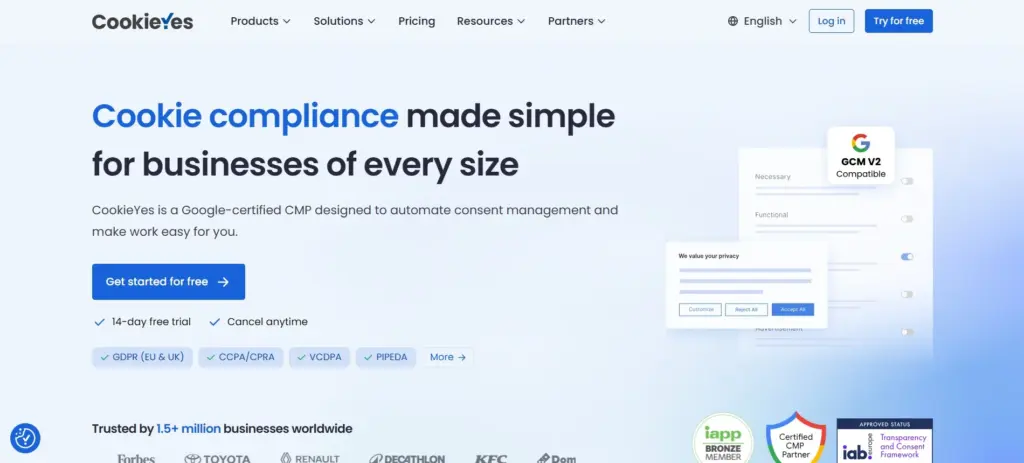
Best for Automated Compliance and Cookie Scanning
CookieYes continues to be one of the strongest cookie consent solutions for WordPress.
It combines automation, script blocking, consent management, and Google Consent Mode support in a package that works well for both beginners and advanced users.
Why We Like It
The free plan already includes a cookie scanner, automatic script blocking and Consent Mode v2.
The banner works without an account. Connecting to the CookieYes web app adds cloud scanning and consent records.
Note that scanning and consent data are processed in the CookieYes cloud, not only on your server.
Key Features
- Automatic cookie scanning
- Google Consent Mode v2 support
- Automatic script blocking
- Consent logs
- Geo targeting
- Cookie policy generation
- Banner customization
- Multi-language support
Pros
- Strong automation features
- Reliable cookie scanning
- Excellent script blocking
- Easy integration with popular tools
- Good customization options
Cons
- Some advanced customization requires premium plans
- Analytics features are limited in the free version
- Premium pricing can increase for larger websites
Best For
Website owners who want automated cookie discovery and compliance management.
Pricing
Free plan available. Basic starts at $10/month per domain.
6. iubenda
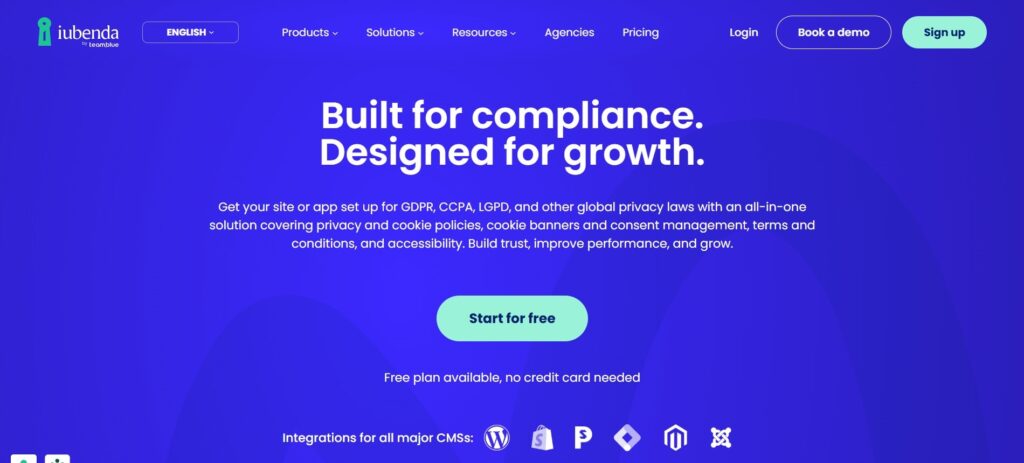
Best for Businesses Managing Multiple Websites
iubenda has built a strong reputation as an all-in-one compliance platform.
In addition to cookie consent management, it offers privacy policies, terms and conditions, consent records, and data subject request management. This makes it particularly appealing to agencies and businesses managing multiple websites.
Why We Like It
Much of its functionality, from the cookie banner to legal documents, is managed from a single dashboard.
Instead of piecing together multiple compliance tools, iubenda provides a more centralized approach to privacy management.
Key Features
- Cookie consent management
- Privacy policy generation
- Consent records
- Automatic cookie scanning
- Script blocking
- Multi-language support
- Geo targeting
- Terms and Conditions generation
Pros
- Comprehensive compliance platform
- Strong multilingual support
- Good automation features
- Suitable for multiple websites
- Covers major privacy regulations
Cons
- Premium plans can become expensive
- Initial setup takes longer than simpler plugins
- Some advanced features have a learning curve
Best For
Agencies, consultants, and businesses managing multiple websites.
Pricing
Free plan available. Essentials starts at $5.99/month per site, billed yearly.
7. GDPR Cookie Compliance
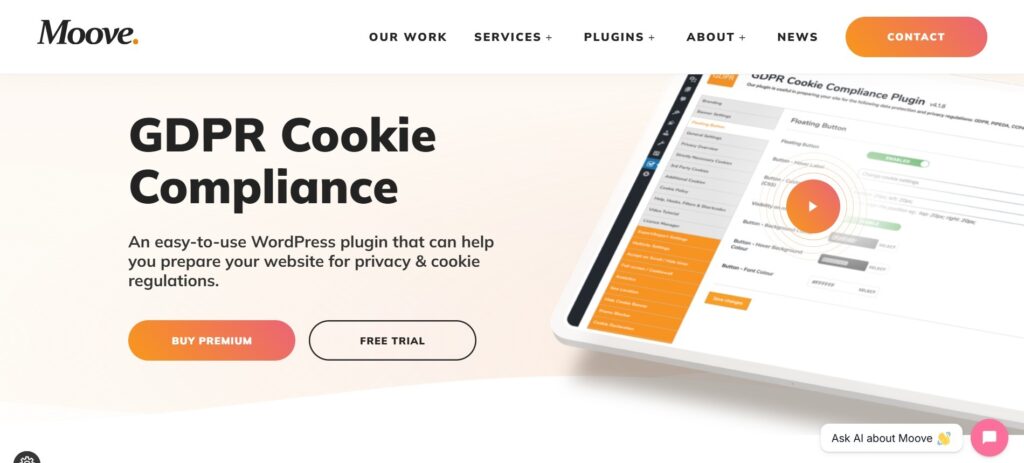
Best for Small Business Websites
GDPR Cookie Compliance has remained a popular choice for website owners who want a dedicated cookie consent solution without unnecessary complexity.
The plugin focuses primarily on consent management and offers the core features needed by most small and medium-sized websites.
Why We Like It
The plugin keeps things simple.
Many website owners only need a compliant consent banner, basic consent management, and customization options. GDPR Cookie Compliance delivers these essentials without overwhelming users.
Key Features
- Consent banner customization
- Consent withdrawal options
- Cookie categories
- Consent records
- Privacy policy integration
- Accessibility support
- Multi-site compatibility
Pros
- Easy to configure
- Beginner-friendly interface
- Strong compliance foundation
- Supports major privacy regulations
- Good customization options
Cons
- Limited automation compared to competitors
- No advanced cookie scanning in the free version
- Premium features are needed for deeper compliance workflows
Best For
Small businesses, blogs, and websites with straightforward compliance needs.
Pricing
Free version available. Premium starts at £59/year for 1 site.
8. Real Cookie Banner
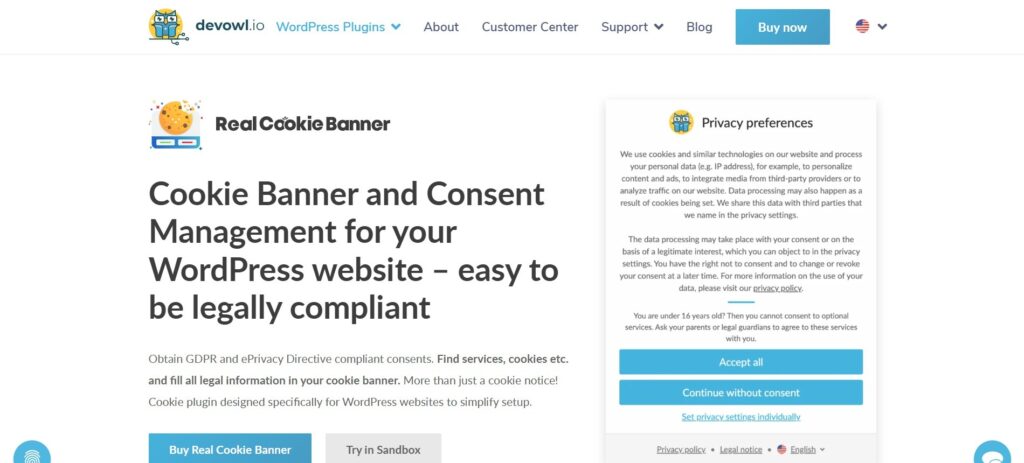
Best for Advanced Banner Customization
Real Cookie Banner focuses heavily on giving website owners control over how consent banners behave and appear.
It combines strong compliance features with extensive customization capabilities, making it a popular choice among users who want more flexibility.
Why We Like It
The level of customization is impressive.
Many cookie plugins offer only basic banner adjustments. Real Cookie Banner allows significantly more control over layouts, consent flows, and content presentation.
Key Features
- Automatic cookie scanning
- Consent records
- Script blocking
- Google Consent Mode v2 support
- Advanced banner customization
- Content blockers
- Service templates
- Privacy policy integration
Pros
- Extensive customization options
- Strong compliance tools
- Excellent script blocking
- Good documentation
- Detailed consent records
Cons
- The interface can feel overwhelming at first
- More configuration is required than beginner-focused solutions
- Advanced features require premium plans
Best For
Website owners who want complete control over banner design and consent behavior.
Pricing
Free version available. PRO starts at €59/year for 1 site, VAT included.
9. Cookie Compliance for WordPress (formerly Cookie Notice)

Best for Starting With a Simple Banner
Cookie Compliance for WordPress, by Hu-manity.co, was previously called Cookie Notice and is one of the most widely installed cookie plugins on WordPress.org.
It focuses on delivering a lightweight consent solution while still supporting modern privacy requirements such as GDPR and CCPA.
Why We Like It
Its Banner Only mode works with no account. Connecting a free or paid account adds automatic script blocking, consent records and Google Consent Mode.
The setup process takes only a few minutes, making it one of the easiest solutions to deploy on a new website.
Key Features
- Consent banner customization
- Consent expiration settings
- Script blocking
- Consent analytics
- Privacy policy integration
- Multi-language compatibility
- Geo targeting
- Compliance dashboard
Pros
- Generous free version
- Easy setup process
- Lightweight and fast
- Supports GDPR and CCPA requirements
- Good compatibility with WordPress themes
Cons
- Limited advanced compliance workflows
- Fewer customization options than premium competitors
- Script blocking, consent records and Consent Mode need a connected Hu-manity.co account
Best For
Website owners looking for a reliable free cookie consent plugin.
Pricing
Free plan for up to 1,000 visits/month. Professional starts at $14.95/month for 1 domain.
10. WPWax Legal Pages
Best for Websites That Need Legal Documents Alongside Cookie Notices
While Legal Pages is primarily known for generating legal documents, it also includes cookie notice functionality that helps website owners meet basic compliance requirements.
For users who are already focused on creating privacy policies, terms and conditions, disclaimers, and cookie policies, having cookie notices available within the same plugin can simplify setup.
Why We Like It
The biggest advantage is convenience.
Instead of using one plugin for legal pages and another for cookie notices, Legal Pages brings everything together in a familiar WordPress environment.
Key Features
- Privacy Policy templates
- Cookie Policy templates
- Terms and Conditions generator
- Disclaimer templates
- Cookie notice functionality
- Customizable messaging
- Multiple banner positions
- Quick setup
Pros
- Strong legal document library
- Beginner-friendly setup
- Saves time compared to creating policies manually
- Useful for compliance-focused websites
- Affordable pricing
Cons
- Cookie consent features are less advanced than dedicated consent platforms
- Limited automation capabilities
- Not designed for enterprise-level consent management
Best For
Bloggers, small businesses, affiliate websites, and website owners looking for legal pages and cookie notices in one place.
Pricing
Free version available. Pro costs $25 for the first year for 1 site, then $29/year.
11. WPConsent
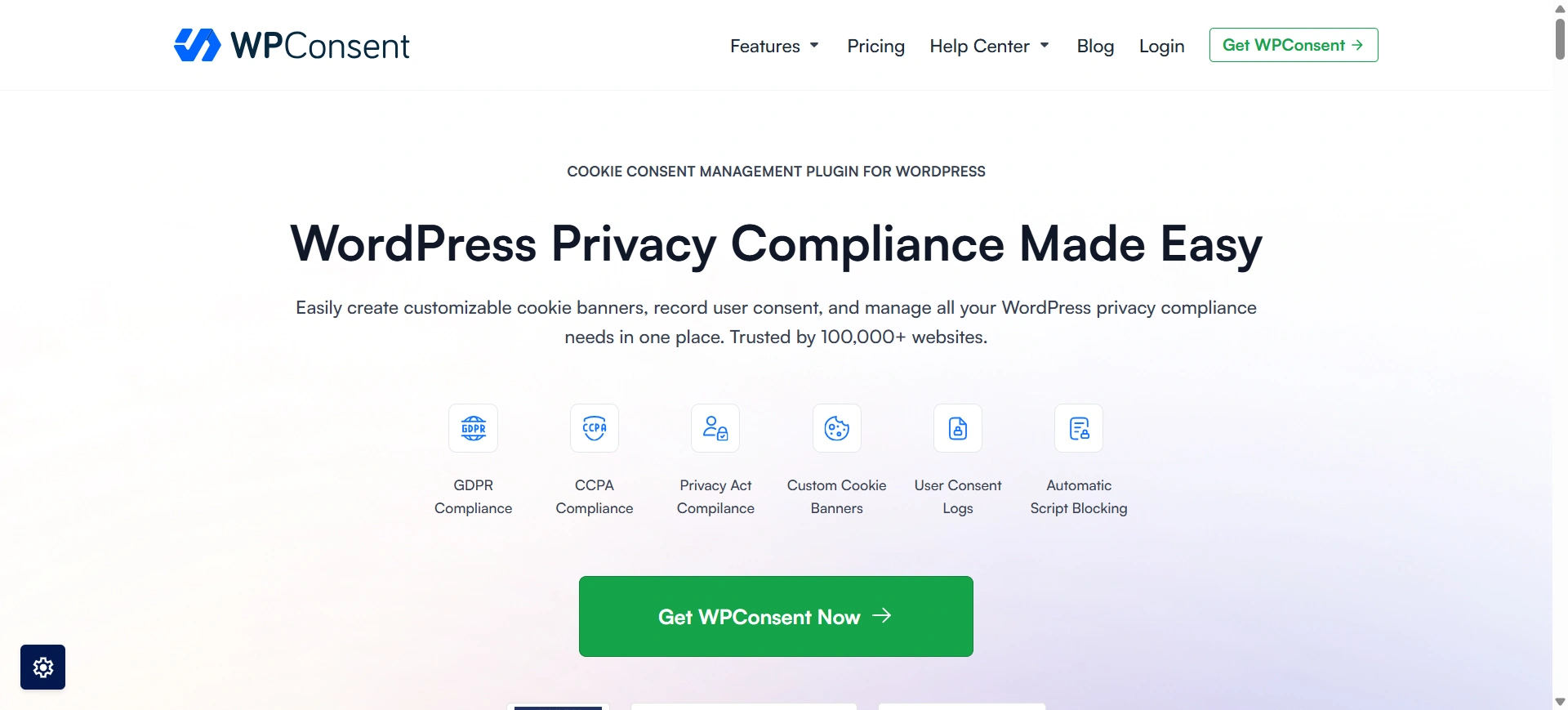
Best for Budget-Conscious Sites That Want Self-Hosted Consent
WPConsent is a privacy plugin built only for WordPress. It stores consent data on your own site instead of a third-party server.
It covers the core of cookie compliance: a custom banner, a cookie scanner, script blocking until consent and, on paid plans, consent records.
Why We Like It
The price. Paid plans include unlimited scans and pageviews, even on the cheapest tier.
It also connects with popular analytics tools without extra setup.
Key Features
- Customizable cookie consent banners
- Script blocking before consent
- Cookie scanner with a full cookie inventory
- Google Consent Mode v2 support
- Global Privacy Control support
- Consent logs (paid plans)
Pros
- Low starting price
- Self-hosted consent records
- Unlimited scans and pageviews on paid plans
- Easy to manage from the WordPress dashboard
Cons
- Consent logs and geo-targeting are only on paid plans
- Custom scripts may need manual blocking rules
Best For
Small sites that want solid consent features at a low yearly cost.
Pricing
Free version available. Basic costs $49.50 for the first year for 1 site (normally $99/year).
12. FooBar
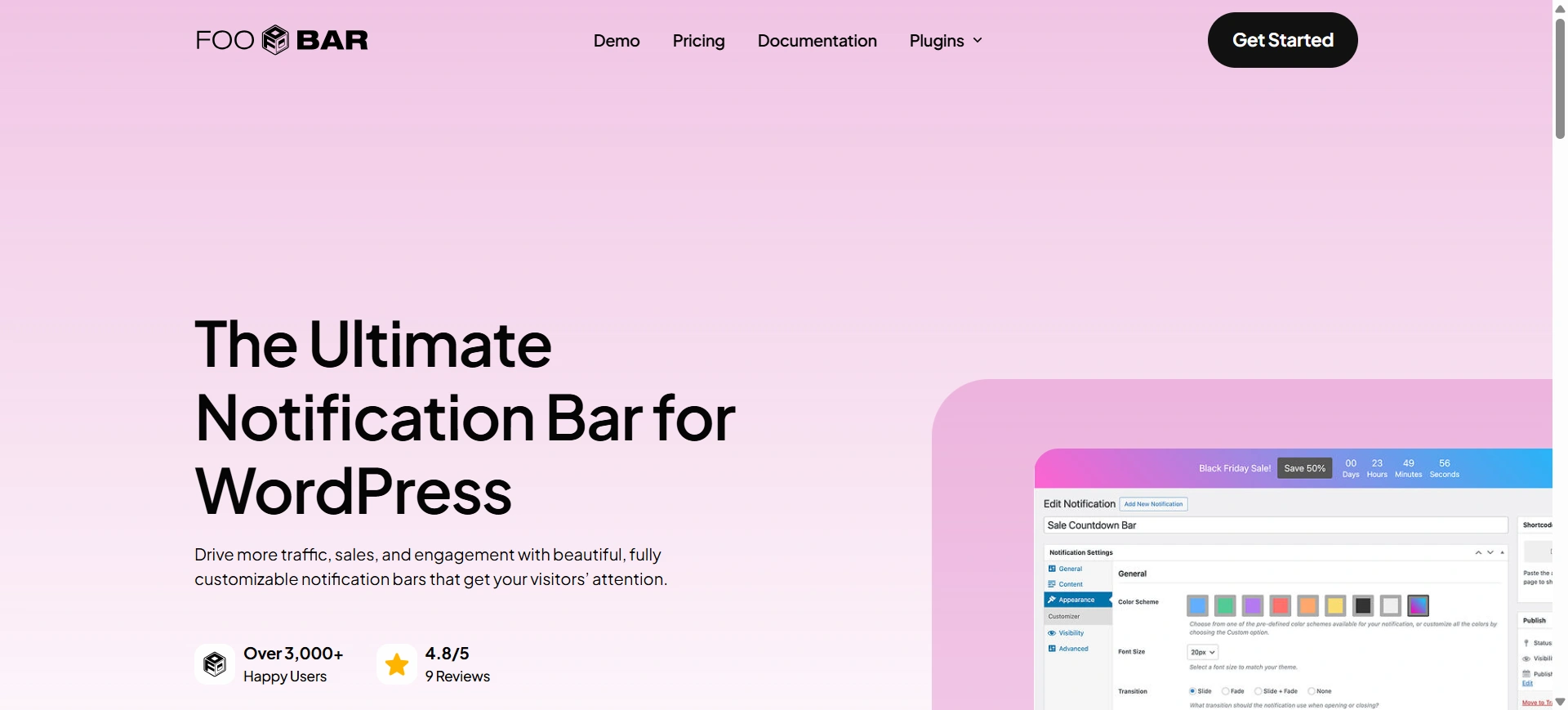
Best for Sites That Only Need a Simple Cookie Notice
FooBar is a notification bar plugin, not a full consent manager. Besides cookie notices, it can show announcements and promotions.
Why We Like It
It’s light and quick to set up. If you only need to tell visitors you use cookies, it does that without extra weight.
Key Features
- Notification bar for cookie notices
- Custom colors and messages
- Top or bottom placement
- Lightweight performance
- Works for announcements too
Pros
- Very lightweight
- Easy setup
- One plugin for notices and announcements
Cons
- No automatic cookie scanning
- No script blocking or consent logs
- Not enough on its own for GDPR-style consent
Best For
Sites with no tracking cookies that just need a notice bar.
Pricing
Free version available. PRO costs $39.99/year for 1 site.
Comparison Between Free and Premium Versions
Now, let’s see the difference between what the free versions and the premium versions of these plugins offer.
| Plugin | Free Version Features | Premium Version Features |
|---|---|---|
| WPLP Compliance Platform | 1 website, 20,000 banner pageviews/month, cookie scanner (5 scans/month), script blocking, consent logs, Google Consent Mode v2. | Multiple websites, 30+ legal templates, unlimited scans and pageviews, geo-targeting, IAB TCF, DSAR processing, branding removal. |
| Cookiebot | 1 domain, <50 pages, basic banner, no monthly scanning, no consent logging. | Multiple domains, unlimited pages, monthly auto-scanning, consent logs & analytics, geo-targeting, IAB TCF, full customization. |
| Complianz | Basic cookie banner, regional consent per law, simple consent logging, and Google Consent Mode support. | Unlimited sites, geo-targeting, A/B testing, records of consent, hybrid cookie scans, 250+ integrations, DSAR processing. |
| Termly | 1 domain, 1 legal policy generator, quarterly cookie scans, cookie auto-blocker, embeddable DSAR form, up to 10,000 unique visitors/month. | Multi-language support, weekly cookie scans, auto-updated policies, no branding, IAB TCF v2, and all 8 policy generators. |
| CookieYes | Basic banner, cookie scanner, policy generator, consent logging, and limited customization. | Unlimited domains/pageviews, advanced customizations, geo-targeting, scheduled scanning, consent analytics, and no branding. |
| iubenda | 1 website, <1,000 monthly pageviews, cookie & privacy policy, consent notice & log, one language. | Unlimited pageviews, full customization, all available languages, no branding, all legal documents, and advanced integrations. |
| GDPR Cookie Compliance | Basic cookie banner, GDPR/CCPA compliance, full-screen “cookie wall,” iFrame blocker, multisite support. | Consent log & export, geo-location targeting, Google Site Kit integration, analytics & stats, auto-renew consent. |
| Real Cookie Banner | Basic cookie banner, limited templates, auto-blocking scripts, manual cookie scanning, and no consent logging. | 150+ service templates, automated cookie scanning, consent logging & export, A/B testing, geo-targeting, Google Consent Mode v2, no branding. |
| Cookie Compliance for WordPress | Banner Only mode with no account; a free connected account (1,000 visits/month) adds script blocking, consent records and Google Consent Mode. | Higher visit limits, advanced banner customization, detailed consent analytics, multilingual support, geo-targeting, Microsoft Consent Mode. |
| WPWax Legal Pages | Essential legal templates (Privacy Policy, T&C, CCPA), 1 website limit, manual page generation, basic support. | 30+ legal templates, e-commerce-specific templates, multi-site licenses, one-click generation, pro support. |
| WPConsent | Cookie banner, cookie scanner, automatic script blocking, Google Consent Mode v2, GPC support, cookie policy generator. No consent logs. | Consent logs with export, geolocation banners, automatic translations, IAB TCF, scheduled scans. |
| FooBar | Unlimited notification bars, including a cookie notice with an accept button. No script blocking, scanning or consent logs. | More bar types and positions, scheduling, page-level visibility rules. |
Cheapest WordPress Cookie Consent Plugins
If budget is your main concern, start with the free versions: all 12 plugins in this list have one. When you outgrow the free plan, these are the lowest-cost paid options, ranked by yearly cost for one site.
| Plugin | Yearly cost (1 site) | What you get for the price |
|---|---|---|
| WPWax Legal Pages | $25 first year, then $29 | Legal templates with a basic cookie notice |
| FooBar | $39.99 | A cookie notice bar only, no consent management |
| WPLP Compliance Platform | $48 (covers 3 sites) | Full consent management and 30+ legal templates |
| WPConsent | $49.50 first year, then $99 | Self-hosted consent, script blocking, consent logs |
| Complianz | $59 | Regional consent rules and cookie scanning |
| Real Cookie Banner | €59 (incl. VAT) | Advanced banner control and service templates |
| GDPR Cookie Compliance | £59 | A simple GDPR banner with consent records |
| iubenda | $71.88 ($5.99/month, billed yearly) | Consent plus legal document generation |
The cheapest option is not always the best value. WPWax and FooBar cost the least but don’t block scripts before consent, so they won’t meet GDPR on sites with tracking cookies. Among full consent tools, WPLP Compliance Platform is the lowest-cost paid plan and covers three sites.
Prices checked November 10, 2026. Cookiebot, Termly, CookieYes and Cookie Compliance for WordPress cost more per year, so they aren’t listed here.
What Are Some Cookie Consent Management Best Practices?
While it is good to know which WordPress cookie consent plugin best suits your needs, you should also know the best practices to stay compliant.
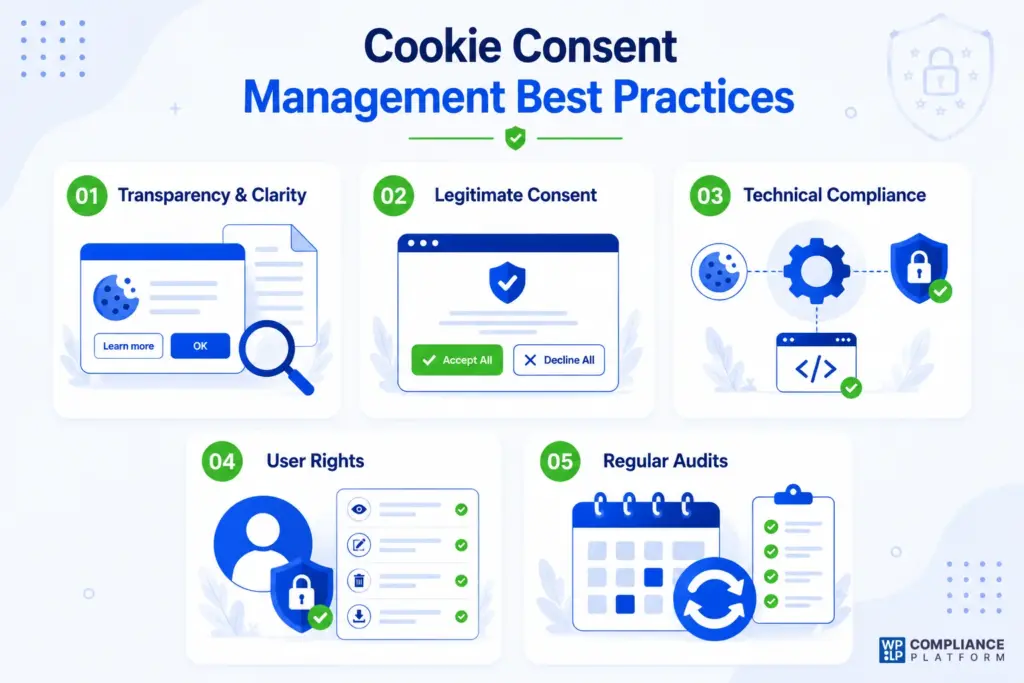
1. Transparency and Clarity
Effective cookie consent management starts with being transparent. Your cookie banner should offer a clear, concise summary of your cookie usage and the cookies fired on your website, along with quick links to your full Privacy Policy and a detailed Cookie Policy.
To make sure that this information is accessible, use simple language without complex legal jargon. This makes it easy for any user to understand.
2. Legitimate Consent
A key best practice is to secure clear and valid consent from users. This means requiring a positive, affirmative action, such as clicking a button, instead of using pre-checked boxes for non-essential cookies.
Users should also have equally visible choices to accept or decline all cookies and the option to give or withhold consent for specific categories, such as marketing or analytics.
3. Technical Compliance
To stay compliant, make sure non-essential cookies and tracking scripts don’t load until users have given explicit consent.
To improve user experience and stay compliant, use geo-targeting to show the cookie banner only to users in areas where the law requires it. In California and several other US states, you must also honor browser opt-out signals such as Global Privacy Control (GPC).
4. User Rights
Your system must give users control over their data. Provide a simple, accessible way for users to withdraw their consent at any time, such as a clear link or widget in the website’s footer.
You must also keep a secure, auditable record of all user consent, which serves as a vital legal defense in case of a compliance audit.
5. Regular Audits
Keeping consent management compliant takes ongoing effort. Scan your website regularly to identify any new cookies or tracking technologies that may have been added.
This helps you keep your policies and legal pages accurate. Also review your privacy and cookie policies regularly to make sure they match your current data practices and any new privacy laws.
Common Mistakes Website Owners Make When Installing a Cookie Banner
Even with a cookie plugin installed, many websites remain non-compliant.
Here are some common mistakes to avoid.
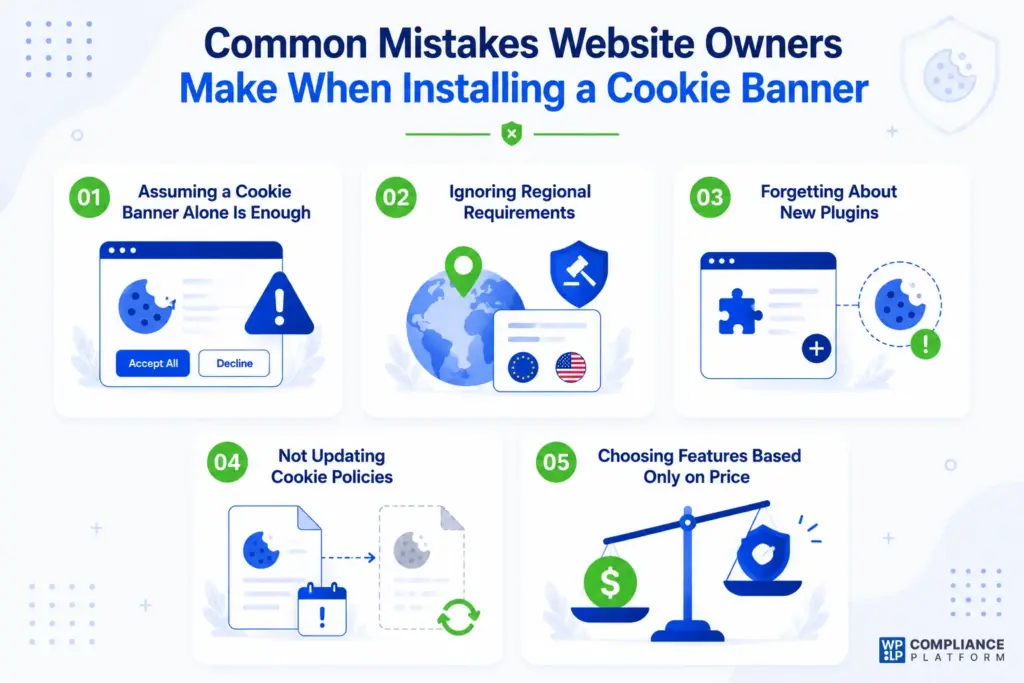
Assuming a Cookie Banner Alone Is Enough
A banner without script blocking may still allow cookies to load before consent is collected.
Ignoring Regional Requirements
Different countries have different privacy laws.
Your consent strategy should account for where your visitors are located.
Forgetting About New Plugins
Every plugin you install can introduce additional cookies.
Regular cookie scans help identify new tracking technologies.
Not Updating Cookie Policies
Policies should reflect your current website setup.
Outdated information can create compliance risks.
Choosing Features Based Only on Price
A free or cheap plugin can work well, but compliance features should always take priority over cost savings.
FAQ
Do I Need a Cookie Consent Plugin on My WordPress Website?
In most cases, yes. If your website uses analytics tools, advertising pixels, embedded videos, social media widgets, live chat software, or any technology that stores cookies on a visitor’s device, a cookie consent solution is highly recommended. Many privacy laws require websites to inform users about cookies and obtain consent before activating non-essential cookies.
What’s the Difference Between a Cookie Banner and a Cookie Consent Plugin?
A cookie banner simply displays a notification. A cookie consent plugin does much more. Modern cookie consent plugins can:
- Block scripts before consent
- Categorize cookies
- Record user consent
- Manage cookie preferences
- Generate cookie policies
- Support Google Consent Mode v2
This helps websites move beyond basic notifications and meet modern compliance requirements.
What Is Script Blocking and Why Is It Important?
Script blocking prevents tracking technologies from loading until a visitor gives consent. For example, a plugin can stop Google Analytics, Facebook Pixel, advertising tags and marketing scripts from running before consent is granted.
Without proper script blocking, your website may still place cookies before obtaining permission.
Which WordPress Cookie Plugin Is Best for GDPR Compliance?
No plugin guarantees GDPR compliance on its own, so the answer depends on your needs and how you set the plugin up. For an all-in-one solution, WPLP Compliance Platform stands out because it combines cookie consent management and legal page generation. For advanced regional compliance, Complianz is an excellent option. For automation and cookie scanning, CookieYes performs particularly well. On a tight budget, see our list of the cheapest cookie consent plugins above.
What’s the Best Free WordPress Cookie Plugin?
Several plugins offer strong free plans. Some of the best options include:
- WPLP Compliance Platform
- Complianz
- CookieYes
- WPConsent
- Cookie Compliance for WordPress
- GDPR Cookie Compliance
The right choice depends on the features your website requires.
Can Cookie Plugins Slow Down My Website?
Most modern cookie plugins have a minimal impact on performance. However, poorly optimized plugins or plugins with excessive third-party requests can affect loading times. When evaluating a plugin, look for active development, regular updates, and performance-focused features.
Do Cookie Plugins Work With Google Consent Mode v2?
Many leading plugins now support Google Consent Mode v2. Examples include:
- WPLP Compliance Platform
- Cookiebot
- Complianz
- CookieYes
- iubenda
- Real Cookie Banner
- WPConsent
If you use Google Ads or Google Analytics, this feature is becoming increasingly important.
Can I Show Different Cookie Banners for Different Countries?
Yes. Many cookie plugins support geo-targeted cookie banners. They detect a visitor’s location and show the consent rules that apply there. For example, EU visitors can get an opt-in banner, California visitors an opt-out notice, and visitors from regions with no cookie law no banner at all. WPLP Compliance Platform, Cookiebot, Complianz, CookieYes, Termly and iubenda all offer geo-targeting, though it’s usually a paid feature.
Can I Use More Than One Cookie Plugin?
Generally, no. Running multiple cookie consent plugins can cause conflicts, duplicate banners, inconsistent consent records, and script blocking issues. It is usually better to choose one solution that covers all your requirements.
Final Recommendation
After reviewing the leading WordPress cookie plugins available today, one thing becomes clear.
The best plugin is not necessarily the one with the longest feature list or the lowest price. It’s the one that matches your website’s compliance requirements, audience, and growth plans.
If you only need a lightweight cookie banner, a simple plugin may be enough.
If you operate internationally, use advertising platforms, collect marketing data, or manage multiple websites, you’ll likely benefit from more advanced consent management tools.
For most website owners, we recommend focusing on:
- Script blocking
- Google Consent Mode v2 support
- Consent logging
- Cookie scanning
- Geo targeting
- Granular consent controls
These features have become essential for modern compliance.
Comparing platforms that work beyond WordPress? See our guide to the best consent management platforms.
Install a reliable cookie plugin like WPLP Cookie Consent, customize it to your specific needs, and maintain your commitment to data protection and user privacy.
If you want to learn more about cookie consent, you can refer to these articles as well:
- How To Add A Cookie Consent Popup To Your WordPress Website?
- How To View Cookies In Chrome And Other Browsers Manually?
- What is a Cookie Consent Manager? – An Ultimate Guide
Get the WPLP Cookie Consent and the WPLP Legal Pages plugins for legal compliance.