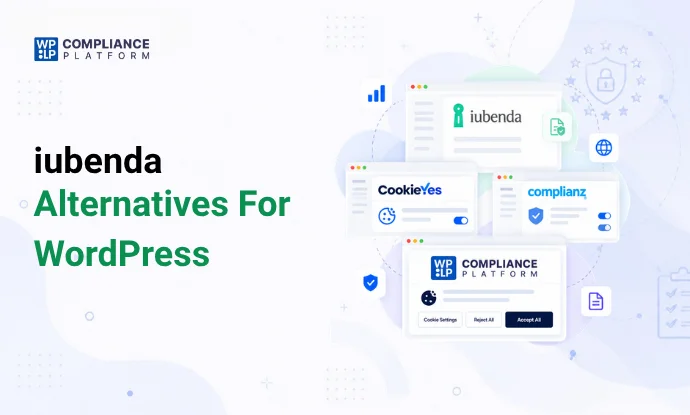
If you run a WordPress site and need a cookie banner, a privacy policy, or a full consent management setup, iubenda is probably one of the first names you have come across. It is a well-established Italian company with a large customer base and useful legal document templates. But iubenda is not the only option, and for a lot of WordPress site owners it is not even the best fit. Its per site pricing, its setup complexity, and its narrower WordPress specific tooling push many people to look elsewhere.
This guide compares iubenda against six alternatives that WordPress users actually consider: Termly, Complianz, CookieYes, Cookiebot by Usercentrics, and the WPLP Compliance Platform (WP Legal Pages plus WP Cookie Consent). Every price, feature, and integration claim below is drawn from vendor pricing pages, the WordPress.org plugin directory, and independently published reviews current as of 2026.
Quick Answer
For most WordPress sites that need legal pages and a cookie banner together, WPLP Compliance Platform and Complianz are the strongest native WordPress options because both were built as WordPress plugins first. iubenda and Termly suit single sites that want lawyer drafted documents and do not mind paying per site. CookieYes and Cookiebot fit teams that only need a consent banner, not full legal page generation.
Why Look Beyond iubenda
iubenda has a loyal user base and strong legal credibility, built up over 15 years in the privacy compliance space. But several patterns show up repeatedly across independent reviews and user feedback.
First, pricing is billed per site. An agency or a business running several WordPress installs pays a separate subscription for each one, and there is no simple multi domain bundle. Second, several G2 and Capterra reviewers describe the dashboard as confusing to navigate, with a notably low Ease of Setup score compared to its Ease of Use score. Third, removing the iubenda branding from the consent banner requires jumping to the top tier plan, which costs meaningfully more than the entry level tiers.
None of this makes iubenda a bad product. It remains a solid choice for a single, lower traffic site that wants lawyer drafted legal documents from an established vendor. But it is worth understanding what else is available before committing, especially if you manage more than one WordPress site.
What iubenda does well
iubenda bundles a legal document generator, a consent management platform, and add on tools like the Terms and Conditions Generator into tiered plans. The free plan covers sites under 1,000 pageviews per month with a basic privacy and cookie policy. Paid tiers run Essentials at roughly 6 dollars per site per month, Advanced around 25 dollars per site per month, and Ultimate at custom pricing for unlimited service clauses and full branding removal. All plans are billed per site, and overages are charged per 1,000 extra pageviews. A dedicated WordPress plugin is available through the official plugin directory, and it includes a site scanner that checks for missing compliance elements before guiding you through setup.
What to Look For in a Privacy and Compliance Tool
Before comparing individual products, it helps to know which features actually matter for a WordPress site:
- Native WordPress integration. A plugin built for WordPress, rather than a generic JavaScript snippet, tends to work better with page builders, Gutenberg blocks, and caching plugins.
- Legal page generation. Privacy policies, terms and conditions, and disclaimers that update automatically as regulations change.
- Cookie scanning and blocking. Automatic detection of third party scripts and cookies, with the ability to block them until a visitor consents.
- Consent logging and DSAR support. A record of who consented to what, plus a way to handle data subject access requests.
- Regulatory coverage. GDPR, CCPA and CPRA, LGPD, and increasingly the growing list of US state privacy laws.
- Certifications. Google Consent Mode v2 support and IAB TCF certification matter if you run Google Ads, Analytics, or programmatic advertising.
- Pricing structure. Per domain, per pageview, or flat rate, and whether it scales sensibly if you manage more than one site.
The 5 Tools Compared
1. WPLP Compliance Platform (WP Legal Pages)
WPLP is built specifically for WordPress, combining the WP Legal Pages plugin with WP Cookie Consent under one dashboard. The free plugins include 4 legal templates (Standard Privacy Policy, Terms of Use, DMCA, Standard CCPA), a banner with script blocking, consent logs, a DSAR form and Google Consent Mode v2. Connect the free Dashboard tier for 5 automated scans a month.
The Professional plan runs 8 dollars a month for up to 3 sites and includes more than 30 pro legal templates, forced agreement popups, an affiliate disclosure tool, an age verification popup, and on the cookie consent side, 50 scans a month, 10,000 pages per scan, 100,000 pageviews a month, exportable consent logs, DSAR handling, Google Consent Mode v2, geo targeting, and IAB TCF 2.3 support. The Business plan at 12 dollars a month covers up to 10 sites with unlimited scans and unlimited pageviews, and Agency tiers scale further to 25, 50, or 100 sites.
What sets WPLP apart from several tools on this list is that pricing scales by number of sites rather than by pageview volume or domain count, which tends to work out cheaper for agencies and multi site owners than CookieYes or Cookiebot’s per domain models. WPLP is also a Google certified CMP partner and supports the IAB Transparency and Consent Framework, credentials that matter if your site runs programmatic advertising or relies on Google Ads and Analytics after consent. Because legal page generation and cookie consent management live in one connected dashboard rather than two separate products, WordPress users avoid the common problem of running a legal pages plugin and a cookie consent plugin that do not talk to each other.
Best for: WordPress sites and agencies that want legal pages and cookie consent handled together, with pricing that scales by number of sites rather than traffic.
2. Termly
Termly offers a genuinely free plan (one policy generator plus a basic consent management platform), a Starter plan around 10 dollars a month for two legal policies and full banner access, and a Pro Plus plan around 15 dollars a month that unlocks every policy generator with no limitations. Like iubenda, licensing is per website, so the free plan is narrow and the useful features sit behind Pro Plus. Independent reviews score Termly highly for ease of setup and compliance coverage but lower for pricing and value once a site scales beyond one domain.
Best for: a single small site that wants an easy, affordable setup with attorney backed policy templates.
3. Complianz
Complianz is a WordPress native plugin that supports GDPR, CCPA and CPRA, LGPD, POPIA, and several other regional frameworks through a single conditional cookie banner. The free version in the WordPress plugin directory includes a cookie scan, consent banner, and cookie policy generation, and it integrates directly with the WP Consent API alongside Gutenberg, Elementor, Divi, WooCommerce, and other popular plugins. Premium tiers are billed annually at $59 (€35) for 1 site, $179 (€109) for 5 sites and $399 (€239) for 25 sites a year. Every paid plan adds Consent Mode v2, IAB TCF, consent records and data request handling. The Agency plan adds a multisite plugin.
Best for: WordPress sites, particularly WooCommerce stores, that want strong regional coverage and deep plugin compatibility without per pageview billing.
4. CookieYes
CookieYes started life as the WordPress plugin Cookie Law Info before growing into a standalone consent management platform with 1M+ active installs on WordPress.org. It offers a genuinely useful free tier that includes Google Consent Mode v2, something many competitors reserve for paid plans, though the free tier caps out around 5,000 pageviews per month. Paid plans range from about 10 dollars to 55 dollars per domain per month depending on pageview volume, with geo-targeting and IAB TCF v2.3 starting on Pro ($25 a month per domain). Pricing is per domain with no multi domain bundle, so agencies managing several client sites can see costs climb quickly, though CookieYes does run an Agency Partner Program offering discounted reseller pricing.
Best for: WordPress sites that mainly need a fast, well supported cookie banner rather than a full legal page suite.
5. Cookiebot by Usercentrics
Cookiebot focuses on automated cookie scanning at scale. It runs scheduled scans across a domain, catalogs every tracker it finds, and automatically blocks unclassified scripts until a visitor consents. The free tier covers a single domain with up to 50 subpages. Paid plans are priced per domain by subpage count, starting around 8 dollars a month for Premium Lite and then $34 (Small), $56 (Medium) and $96 (Large) a month, with XLarge on a custom quote as subpage count grows, with plans upgrading automatically once a site crosses a threshold. That auto upgrade behavior means a site that grows its content library can see its bill jump without warning. Cookiebot’s enterprise tier, Usercentrics Advanced, bills by visitor session instead of by domain, so it is worth checking which pricing model suits your traffic pattern before choosing between them.
Best for: larger, content heavy sites that want automated, set it and forget it cookie scanning.
Side by Side Comparison
| Tool | Free Plan | Entry Paid Price | Billing Model | WordPress Plugin | Google Consent Mode v2 | IAB TCF |
|---|---|---|---|---|---|---|
| iubenda | Yes, under 1,000 pageviews/mo | About $6/site/mo | Per site | Yes | Yes | Advanced tier |
| Termly | Yes, 1 policy | About $10/mo | Per website | Limited, mainly script based | Yes | Pro+ only |
| Complianz | Yes, full cookie scan | About $59/yr | Annual, per site | Yes, native | Yes | Premium tier |
| CookieYes | Yes, 5,000 pageviews/mo | About $10/domain/mo | Per domain, by pageviews | Yes, connects to a CookieYes account | Yes, free tier included | Pro and up |
| Cookiebot | Yes, 50 subpages | About $8/mo | Per domain, by subpages | Yes | Yes | Yes |
| WPLP Compliance Platform | Yes: 4 templates, banner, consent logs | $8/mo for 3 sites | Per number of sites | Yes, native, two plugins in one dashboard | Yes | v2.3, paid plans |
Prices and plan details reflect published vendor pricing as of 2026 and may change; always confirm current figures on each vendor’s own pricing page before purchasing.
How to Choose
If you run one small WordPress site and want lawyer drafted legal pages plus a straightforward cookie banner, iubenda or Termly will get you there quickly, provided the per site pricing does not bother you. If you run WooCommerce or a content heavy WordPress site and want deep plugin compatibility along with regional cookie compliance, Complianz is worth a serious look, and WPLP’s guide on privacy compliance for WooCommerce stores covers the store specific requirements in more depth. If you manage several client sites, WPLP and Complianz price by site count. CookieYes, Cookiebot, iubenda and Termly charge per domain or per site.
For WordPress specific projects where you want legal pages and cookie consent handled in one connected system rather than stitched together from two plugins, WPLP is worth trying first. Its free version is a reasonable starting point, and you can see how the full range of privacy laws WPLP covers maps to your own site before deciding whether to upgrade.
A Few Things Worth Getting Right, Regardless of Tool
No matter which platform you choose, a few practices apply across the board. First, confirm whether your website actually needs a privacy policy under the laws that apply to your visitors, since requirements vary by region and by what data you collect. Second, pay attention to how your cookie banner is designed. Studies on consent behavior and regulatory guidance both point to the same conclusion: banners that make rejecting cookies harder than accepting them, sometimes called dark patterns, invite regulatory scrutiny, and WPLP’s piece on avoiding dark patterns in cookie banner design walks through what compliant design actually looks like. Third, if you are fielding data subject access requests, look for a tool that logs and manages them rather than leaving you to track spreadsheets by hand. WPLP’s documentation on how to enable DSAR requests shows how that workflow fits into a WordPress dashboard.
Finally, watch out for consent fatigue. Stacking multiple popups, forced agreements, and repeated banners on top of each other tends to erode trust rather than build it, a pattern covered in more detail in WPLP’s article on consent fatigue and privacy trust.
Frequently Asked Questions
Yes, iubenda has an official WordPress plugin with a built in compliance scanner. It works well for a single site but becomes expensive if you manage multiple domains, since every site needs its own subscription.
Complianz’s free plugin and WPLP’s free plan both offer meaningful functionality at no cost, and their paid tiers, roughly 59 dollars a year and 8 dollars a month respectively, undercut iubenda’s per site pricing once you factor in multiple domains.
Most WordPress sites need both a privacy policy or terms page and a cookie consent banner to comply with GDPR and similar laws. Tools like Complianz and WPLP combine both functions in one plugin or dashboard, which avoids compatibility issues between two separate products.
iubenda, Complianz, CookieYes, Cookiebot, and WPLP all support Google Consent Mode v2, though some restrict it to paid tiers. CookieYes, Cookiebot and WPLP include it on their free plans.
It depends on your site. A free plan can cover a small blog with minimal tracking, but sites running analytics, advertising, or ecommerce checkouts generally need paid features like geo targeting, IAB TCF support, and consent logging to fully meet GDPR and CCPA requirements. Reviewing WPLP’s GDPR compliance checklist is a useful way to check where your current setup stands.
Yes. Consent management pricing shifts fairly often as vendors adjust tiers and pageview caps. Always check the vendor’s current pricing page, and compare it against WPLP’s own pricing plans, before committing to an annual plan.
If you like this blog, you can consider reading these: