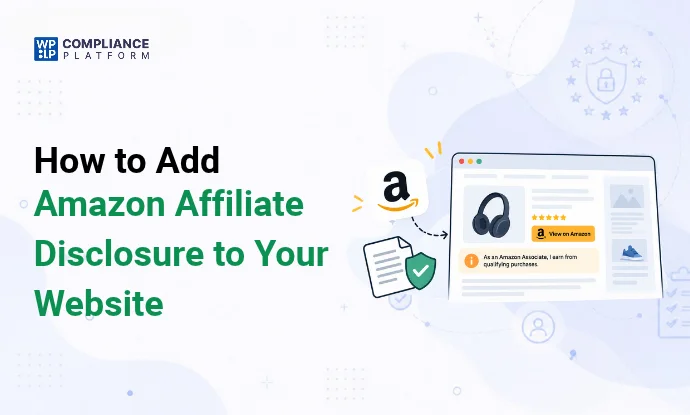
An Amazon affiliate disclosure is a statement that tells readers you earn money when they buy through your Amazon links.
Amazon requires one exact sentence on your site:
As an Amazon Associate I earn from qualifying purchases.The FTC also expects a clear disclosure close to every affiliate link, not only in your footer. A missing or vague disclosure can get your Associates account closed, and it can bring an FTC warning.
Here’s the tl;dr:
- Put Amazon’s sentence on your site.
- Add a short, plain disclosure before the first affiliate link in every post.
- Link to a full disclosure page from your footer.
- Repeat the disclosure on social posts, videos and emails, in the post itself.
What is the Amazon Associates Program?
Amazon Associates is Amazon’s affiliate program. You share special Amazon links (called “Special Links” in the agreement). When someone clicks one and buys something that qualifies, you earn a commission.
Bloggers, publishers, YouTubers and other creators use these links in articles, buttons, product boxes, social posts and apps.
Why do you need an Amazon affiliate disclosure?
There are 2 rule books here: Amazon’s and the FTC’s. Both ask for a disclosure.
Amazon’s rules
The Amazon Associates Operating Agreement (“Identifying Yourself as an Associate”) says you must show this statement on your site:
“As an Amazon Associate I earn from qualifying purchases.”
“Site” in the agreement includes websites, social media content, apps and Alexa skills, so the sentence applies wherever you use Amazon links.
The same section says you “will not misrepresent or embellish our relationship with you”. You can’t suggest that Amazon sponsors or endorses your site, or that you have any other link with Amazon.
Amazon’s Program Policies also require you to follow disclosure laws, and they name the FTC Endorsement Guides directly. Break these rules and Amazon can withhold commissions or close your account.
The law
In the US, the FTC treats an affiliate commission as a “material connection” between you and the seller. Readers have a right to know about it, because it may affect how much they trust your recommendation. Other countries have similar rules. The UK’s advertising code, for example, requires affiliate content to be labeled as advertising.
Trust
Readers who find out about a hidden commission stop trusting the rest of your content. A short, honest disclosure costs you almost nothing.
What the FTC requires
The FTC’s rules for affiliates come from its Guides Concerning the Use of Endorsements and Testimonials in Advertising (16 CFR Part 255). The FTC first published them in 1980, updated them in 2009 to cover bloggers, and revised them again in June 2023.
The FTC also publishes an FAQ, FTC’s Endorsement Guides: What People Are Asking. For affiliate sites, the key points are:
- Commissions count. If you earn money when a reader clicks and buys, you must disclose it. This applies even if you only get paid per sale.
- Clear and conspicuous. The 2023 Guides define this as difficult to miss and easy for ordinary readers to understand.
- Close to the link. The FAQ says “the closer the disclosure is to your recommendation, the better”. Readers may miss a disclosure at the bottom of a page.
- A link alone isn’t enough. A “Disclosure” or “Legal” button that leads to another page is easy to skip.
- “Affiliate link” may not be clear. Many readers don’t know what it means. The FAQ says “paid link” right next to the link would likely work, and “commissionable link” probably wouldn’t.
- Plain wording works. The FAQ’s own example: “I get commissions for purchases made through links in this post.”
- Same format as the content. Video endorsements need the disclosure in the video, and spoken claims need a spoken disclosure.
What happens if you don’t disclose?
The FTC usually starts with a warning letter. Repeat or serious cases can lead to an FTC action under Section 5 of the FTC Act (deceptive practices).
Since 21 October 2024, the FTC’s Rule on the Use of Consumer Reviews and Testimonials has let it seek civil penalties of up to $53,088 per violation for knowing violations, such as fake reviews and some insider reviews that don’t disclose the connection. That is the amount set in January 2025. The FTC usually adjusts it for inflation each year, but it made no adjustment in 2026, so the 2025 amount still applies.
The main risk for most affiliate sites is still on Amazon’s side: losing the account and the unpaid commissions.
What to include in an Amazon affiliate disclosure
A good disclosure:
- Says you earn money from the links. Use “commission” or “I get paid”, and don’t rely on “affiliate link” alone.
- Names Amazon, using Amazon’s required sentence.
- Sits near the links, before the first affiliate link in the post.
- Uses plain words, the kind your readers use.
- Is short. One or 2 sentences in the post. The full details go on your disclosure page.
- Covers free products if you got the item for free or were paid to review it.
Sample disclosure (copy and edit)
Short version, for the top of each post:
This post contains affiliate links, marked with an asterisk (*). If you buy through them, I earn a commission at no extra cost to you. As an Amazon Associate I earn from qualifying purchases.Then mark each link in the post: Instant Pot Duo 7-in-1*
Full version, for your disclosure page:
[Site name] is a participant in the Amazon Associates Program, an affiliate advertising program that lets sites earn fees by linking to Amazon.

As an Amazon Associate I earn from qualifying purchases.

Some links on this site are affiliate links. If you click one and buy something, I may earn a commission. You don't pay anything extra because of the link.

I only recommend products I have used or researched. [Edit this line so it is true for your site.]

Amazon and the Amazon logo are trademarks of Amazon.com, Inc. or its affiliates.
Keep the claims true. If you haven’t used a product, don’t write that you have.
Where to place your disclosure
| Where | What to show | Why |
|---|---|---|
| Top of each post, before the first affiliate link | The short disclosure | The FTC wants it near the recommendation, where readers will see it |
| Next to product boxes and “Buy on Amazon” buttons | “Paid link” or “(commission earned)” | Readers who skip the intro still see it |
| Footer of every page | A link to your full disclosure page, plus Amazon’s sentence | Covers Amazon’s site-wide requirement |
| Social media posts | “#ad” or “Paid link” plus Amazon’s sentence, in the post text | Captions are cut off, so put it at the start |
| YouTube and video | Say it in the video, and put it in the first lines of the description | The format has to match the content |
| Emails and newsletters | The short disclosure, near the first link | Amazon only allows links in emails people opted into |
A footer-only disclosure doesn’t meet the FTC standard on its own. The footer link is the backup.
Other Amazon rules affiliates often miss
Amazon’s Program Policies have rules beyond the disclosure. These cause the most account closures:
- Prices. You can only show Amazon prices if you get them through Amazon’s Product Advertising API (PA API) or Creators API. Each price needs a date and time stamp, plus Amazon’s line that prices “are accurate as of the date/time indicated and are subject to change”. Don’t type prices in by hand.
- No offline use. Special Links can’t go in printed material, ebooks or mailings, or be used in any spoken pitch.
- Emails only to people who opted in. You can send Amazon links in emails or direct messages only if the person asked to hear from you.
- No implied endorsement. Don’t use Amazon’s name or logo in a way that suggests Amazon sponsors or endorses you.
- Cookie and data disclosure. You must tell visitors about cookies, pixels and other tracking used by you and third parties, and how you collect and use their data (Participation Requirements 3(e)).
Rules change. Check the Associates Program Policies a few times a year.
Do Amazon affiliates need a privacy policy?
In practice, yes.
Amazon’s Program Policies don’t use the words “you must have a privacy policy”. They do require you to disclose your use of cookies and tracking, and how you collect and use visitor data, “through a privacy policy or otherwise”. A privacy policy is the normal place to do that.
The law often requires one anyway. California’s CalOPPA applies to any site that collects personal data from California residents, and GDPR applies if you have EU visitors. If you use analytics or ad cookies, you’ll also need a cookie banner for visitors in the EU and UK.
For the details, see our guide to a privacy policy for Amazon affiliate sites, and use the privacy policy generator to create one.
Add the disclosure to every post in WordPress
Adding the same disclosure to 200 posts by hand is slow, and you can’t update it in one place. Here are 3 ways to do it once.
Method 1: Shortcode
Add this code to your child theme’s functions.php file, or to a site-specific plugin. Avoid editing a parent theme directly, because theme updates overwrite your changes.
php
// Short affiliate disclosure, used as [affiliate_disclosure]
function wplp_affiliate_disclosure_shortcode() {
    $page_url = esc_url( home_url( '/affiliate-disclosure/' ) );
    return '<p class="affiliate-disclosure">This post contains affiliate links. '
        . 'If you buy through them, I earn a commission at no extra cost to you. '
        . 'As an Amazon Associate I earn from qualifying purchases. '
        . '<a href="' . $page_url . '">Read the full disclosure</a>.</p>';
}
add_shortcode( 'affiliate_disclosure', 'wplp_affiliate_disclosure_shortcode' );
Change /affiliate-disclosure/ to the URL of your own disclosure page. Then type [affiliate_disclosure] at the top of any post, or in a Shortcode block.
Method 2: Show it on every post automatically
To skip typing the shortcode, add this code below the code from Method 1. It puts the disclosure at the top of every blog post.
php
// Add the disclosure to the top of every single blog post
function wplp_add_disclosure_to_posts( $content ) {
    if ( is_singular( 'post' ) && in_the_loop() && is_main_query() ) {
        return do_shortcode( '[affiliate_disclosure]' ) . $content;
    }
    return $content;
}
add_filter( 'the_content', 'wplp_add_disclosure_to_posts' );
It only runs on single posts, so pages and archive lists don’t show it. Test on a staging site first.
Method 3: Synced pattern (block editor)
Synced patterns are what WordPress called “reusable blocks” before version 6.3. When you edit a synced pattern, the change shows up in every post that uses it.
- In any post, add a Paragraph block with your short disclosure and a link to your disclosure page.
- Select the block, click the 3-dot Options menu, and choose Create pattern.
- Name it “Affiliate disclosure”, leave Synced turned on, and click Create.
- In other posts, click the + inserter, open Patterns, and insert “Affiliate disclosure”.
This method needs no code, but you add the pattern to each post yourself.
Mark affiliate links with rel=”sponsored”
Google asks sites to mark paid and affiliate links with rel="sponsored". In the block editor, select the link, open its settings and add the attribute (or edit the HTML). This is separate from the FTC disclosure. It tells search engines, not readers, that the link is paid.
Create a full disclosure page with WP Legal Pages
Your footer link needs a page to point to. WP Legal Pages builds one from a template.
- Install WP Legal Pages from Plugins > Add New, then activate it.
- Go to WP Legal Pages > Create Legal Page.
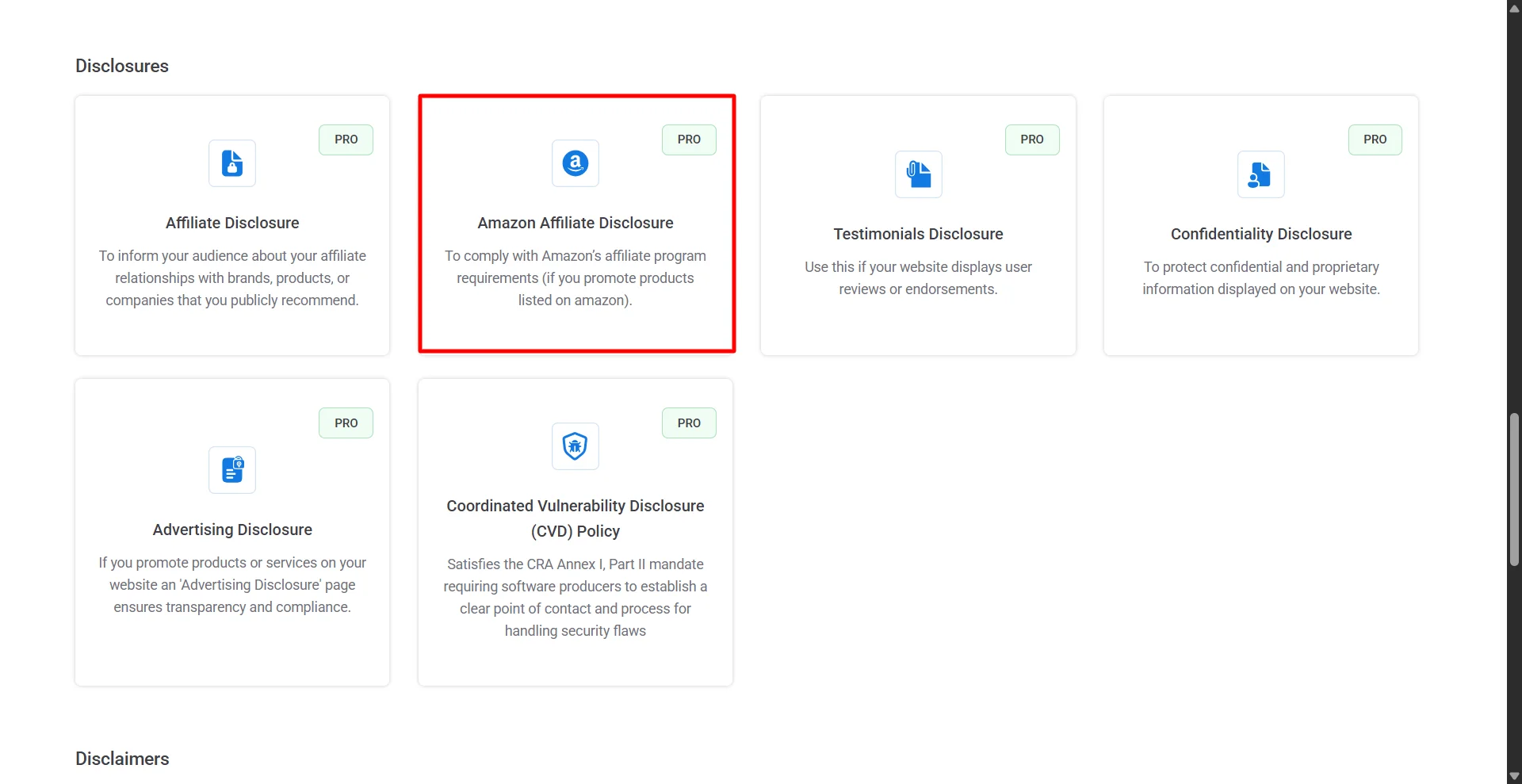
- Choose the Amazon Affiliate Disclosure template.
- Enter your business and site details.
- Preview the page, edit anything that doesn’t fit your site, and publish.
- Add the page to your footer menu.
The Amazon Affiliate Disclosure template is on paid plans, which start at $8/month or $48/year for 3 sites (pricing). The free plan includes Privacy Policy, Terms of Use, DMCA and CCPA templates.
A template gives you a starting point. You still need the short disclosure near your links, and the page has to describe what your site actually does.
Amazon affiliate disclosure examples
Blog post (top of the post):
Heads up: this guide has affiliate links. If you buy through them, I earn a commission at no extra cost to you. As an Amazon Associate I earn from qualifying purchases.Product box or button:
Check price on Amazon (paid link)Instagram or X post:
#ad I earn from purchases through this link. As an Amazon Associate I earn from qualifying purchases.YouTube description (first lines):
Some links below are affiliate links. I earn a commission if you buy through them. As an Amazon Associate I earn from qualifying purchases.Say it in the video too, for example: “The links in the description are affiliate links, so I earn a commission if you buy.”
Newsletter:
This email contains affiliate links. If you buy through them, I may earn a commission. As an Amazon Associate I earn from qualifying purchases.For more on this topic, see disclaimer vs disclosure and YouTube disclaimers.
FAQs
What is an Amazon affiliate disclaimer?
It’s a short statement that tells readers you earn money from Amazon links. Amazon requires the exact sentence “As an Amazon Associate I earn from qualifying purchases.” Strictly speaking it’s a disclosure, not a disclaimer, because it tells readers about a relationship rather than limiting your liability. People use both words.
How do I add Amazon affiliate links to WordPress?
Sign in to Amazon Associates, then use the SiteStripe bar at the top of Amazon product pages to copy your affiliate link. Paste it into a link, button or image in the block editor. Add rel="sponsored" to the link, and put your disclosure before the first link in the post.
Is “affiliate link” enough as a disclosure?
Usually not. The FTC says many readers don’t know what “affiliate link” means. Use words like “I earn a commission” or “paid link”, and add Amazon’s required sentence.
Is a disclosure in my footer enough?
Not on its own. Amazon’s sentence can be in the footer, but the FTC expects a disclosure near the link itself. Readers often miss footers.
Do I need a disclosure if I earn very little?
Yes. Any commission is a material connection under the FTC Guides, and Amazon’s agreement has no minimum.
Do I need a disclosure on social media and YouTube?
Yes. Amazon’s agreement covers social media content, and the FTC wants the disclosure in the post or video itself. Put it at the start of the caption, and say it out loud in videos.
Can I put Amazon links in an ebook or PDF?
No. Amazon’s Program Policies don’t allow Special Links in ebooks, printed material or mailings.
Related reading