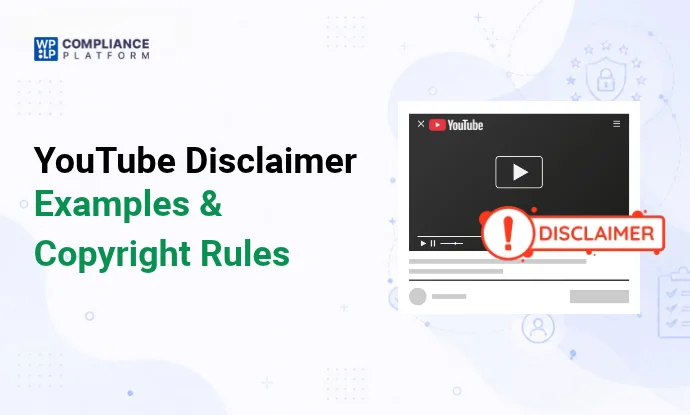
A YouTube disclaimer is a short statement in your video description, on screen, or spoken in the video, that tells viewers about affiliate links, sponsorships, or the limits of your advice. It does not protect you from copyright claims.
Most channels need 1 or 2, depending on what they post.
Which YouTube disclaimer do you need?
| If your videos… | You need | Type |
|---|---|---|
| Have affiliate links in the description | Affiliate disclosure | Disclosure (required in the US by the FTC) |
| Are paid for, or the brand sent you something free | Sponsorship disclosure, plus YouTube’s paid promotion setting | Disclosure (required) |
| Give health, fitness or diet tips | Medical disclaimer | Disclaimer |
| Talk about money, investing or crypto | Financial disclaimer | Disclaimer |
| Teach DIY, repairs or anything risky | General “use at your own risk” disclaimer | Disclaimer |
| Are comedy, pranks, skits or opinion | “Entertainment purposes only” disclaimer | Disclaimer |
| Use clips, music or images you don’t own | Permission or a fair use case. A courtesy line is optional | See the copyright section |
Affiliate and sponsorship lines are technically disclosures: they tell viewers who pays you. The rest are disclaimers: they limit what you’re responsible for. See disclaimer vs disclosure for the difference.
7 YouTube disclaimer examples
Copy a line, then change the parts in [brackets] to fit your channel.
1. Affiliate disclosure
Some links below are affiliate links. If you buy through them, I earn a commission at no extra cost to you.Say it in the video too. The FTC asks YouTubers to disclose affiliate commissions in the video and in the description near the links. See the FTC’s disclosure guidelines.
2. Sponsorship disclosure
This video is sponsored by [Brand]. [Brand] paid me to make it, but all opinions are my own.If the brand sent the product free instead of paying you, say that: “[Brand] sent me this for free to review.”
3. General / educational disclaimer
This video is for general information and education only. Follow these steps at your own risk. I'm not responsible for any damage or injury.4. Medical / health disclaimer
This video is for general information only and isn't medical advice. Talk to your doctor before you change your diet, exercise or medication.For more wording, see these medical disclaimer examples.
5. Financial disclaimer
This video is for education only and isn't financial advice. I'm not a licensed financial adviser. Do your own research before you invest.6. Entertainment purposes only
This video is for entertainment purposes only. Don't try any of it at home. The opinions in it are my own.7. Copyright / fair use courtesy line
This video uses short clips of [work] for commentary and criticism. All rights belong to their owners.Read the next section before you rely on this one.
YouTube copyright disclaimers: what they can and can’t do
A copyright disclaimer is a courtesy line. It credits the owner and tells viewers why you used their work. It doesn’t give you the right to use it.
YouTube says so on its own fair use page: including the phrase “no infringement intended” won’t automatically protect you from a copyright claim. Crediting the owner and saying it’s for “entertainment” don’t count as protection either.
What fair use is. In the US, fair use lets you use copyrighted material without permission in some cases, such as commentary, criticism, teaching or news. A court decides each case on 4 factors:
- Purpose of the use. Commentary, education or parody that adds something new weighs toward fair use. Re-uploading for profit weighs against it.
- Type of work. Using factual material is more likely to be fair than using fiction or music.
- How much you use. Short clips are safer than long ones. Using the “heart” of a work can fail even if it’s short.
- Effect on the market. If your video replaces the original, so people don’t need to buy or watch it, that weighs against you.
Other countries have different rules, often narrower ones.
Claims vs strikes. These are different things on YouTube, and a disclaimer stops neither:
- Content ID claim: YouTube’s automated system matches your video to a rights owner’s file. The owner can block your video, track it, or take its ad money. A claim isn’t a strike. YouTube’s system can’t decide fair use, so you dispute a claim if you think the use is fair.
- Copyright strike: the owner sends a legal takedown request and YouTube removes the video. A strike expires after 90 days if you complete Copyright School. 3 strikes within 90 days can get your channel terminated. See YouTube’s copyright strike rules.
Takedown requests work the same way as on websites. See the Digital Millennium Copyright Act explained.
What protects you: get permission or a license, use royalty-free or YouTube Audio Library music, keep clips short, and add your own commentary. If a video depends on someone else’s work, get legal advice before you upload it.
Where to put a disclaimer on YouTube
A disclaimer only counts if viewers see it before they act. Use more than 1 place:
- In the description, in the first 2 or 3 lines. YouTube cuts the description off after the first few lines and shows “…more”. Anything below that most viewers never see. Put affiliate and sponsorship lines at the top, before the links.
- As a pinned comment. Repeat the key line in a comment and pin it, so viewers who skip the description still see it.
- On screen. Show it as text when you mention the product or give the advice, and keep it up long enough to read.
- Spoken. Say it in the video, ideally near the start. Viewers who never open the description still hear it.
- YouTube’s paid promotion setting (sponsored videos). In YouTube Studio, open the video details, click Show more, and under Paid promotion say the video includes branded content. YouTube then shows a disclosure label at the start of the video. YouTube says creators are still responsible for meeting the law, so keep your own spoken and written disclosure too. See YouTube’s paid promotion help page.
- In your channel’s About section. Add a 1-line summary and link to your full disclaimer page.
Short line vs full disclaimer
Use both:
- Short line in each video’s description and on screen, like the 7 examples above.
- Full disclaimer on your own website, linked from the description and your About section. It covers everything once: who you are, how you make money, the limits of your advice, and how to contact you.
Short (description):
Affiliate links below: I earn a commission if you buy, at no extra cost to you. Full disclaimer: [your URL]Full (website page):
[Channel Name]'s videos and descriptions may contain affiliate links. If you buy through them, I may earn a commission at no extra cost to you. I only recommend products I use or would use. Brands that sponsor a video are named in that video and its description. All opinions are my own. My videos are for general information and entertainment, not professional advice. Contact: [email].What a good YouTube disclaimer covers
- What the content is: information, education or entertainment.
- What it isn’t: medical, financial or legal advice, if you cover those topics.
- How you make money: affiliate links, sponsors, free products.
- Who it’s for, and the risk: for example, “follow at your own risk”.
- Where you are, if your advice depends on country (tax, finance).
- How to reach you.
Keep each line short and plain. Viewers skim.
Add a full disclaimer page to your website
If your channel has a website, put the full disclaimer there and link to it from every video description and your About section. You only maintain it in 1 place.
The general disclaimer generator in WPLP Legal Pages builds that page from your answers and publishes it in WordPress. For affiliate channels, the affiliate marketing disclosure generator covers how you earn from links.
FAQ
What is a disclaimer on YouTube?
A short statement in your description, on screen or spoken in the video. It tells viewers about affiliate links, sponsors, or the limits of your advice.
Does a disclaimer stop copyright strikes on YouTube?
No. A disclaimer doesn’t stop a Content ID claim or a copyright strike. YouTube says phrases like “no infringement intended” don’t protect you. Only permission, a license or a valid fair use case does.
Do I need a disclaimer on every YouTube video?
Only on videos that need one: affiliate links, sponsors, free products, health or money advice, risky tutorials, or other people’s copyrighted material.
Where should an affiliate disclosure go on YouTube?
In the first lines of the description, before the links, and spoken in the video. For sponsored videos, also turn on YouTube’s paid promotion setting.
Is “no copyright intended” legal protection?
No. It has no legal effect. Fair use depends on how you use the material, not on what you write in the description.
Related reading