A church website often collects more personal information than a small business site. Think of online giving, event sign-ups, prayer request forms, youth group registrations, and member directories.
Some of that information reveals a person’s religion. Some of it is about children. Both need extra care.
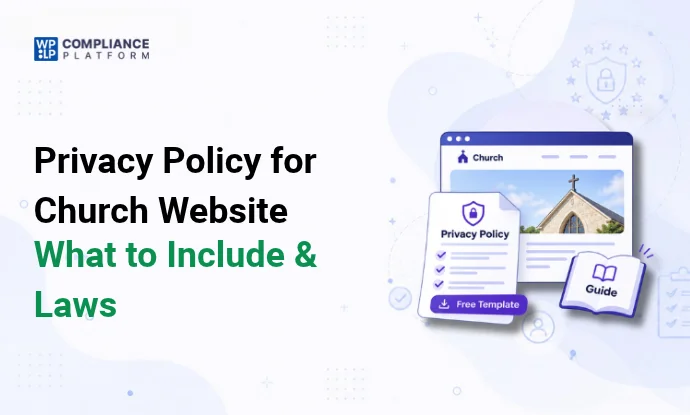
This guide covers what a privacy policy for a church website should include, which privacy laws can apply to a church, and how to build the policy page in WordPress.
What is a church website privacy policy?
A privacy policy is a public page that explains what personal information your church collects through its website and other channels, why you collect it, who you share it with, how long you keep it, and how people can contact you about it.
For a church, the policy also answers questions members actually ask: “Who sees my prayer request?”, “Is my donation history shared?”, and “Can other members see my phone number in the directory?”
A policy only helps if it matches what the church really does. Write it after you know what data you collect, not before. Our guide on what a privacy policy needs to include covers the general sections.
What personal information do church websites collect?
Start by listing every form, tool, and page that collects information. Most churches find data in these places:
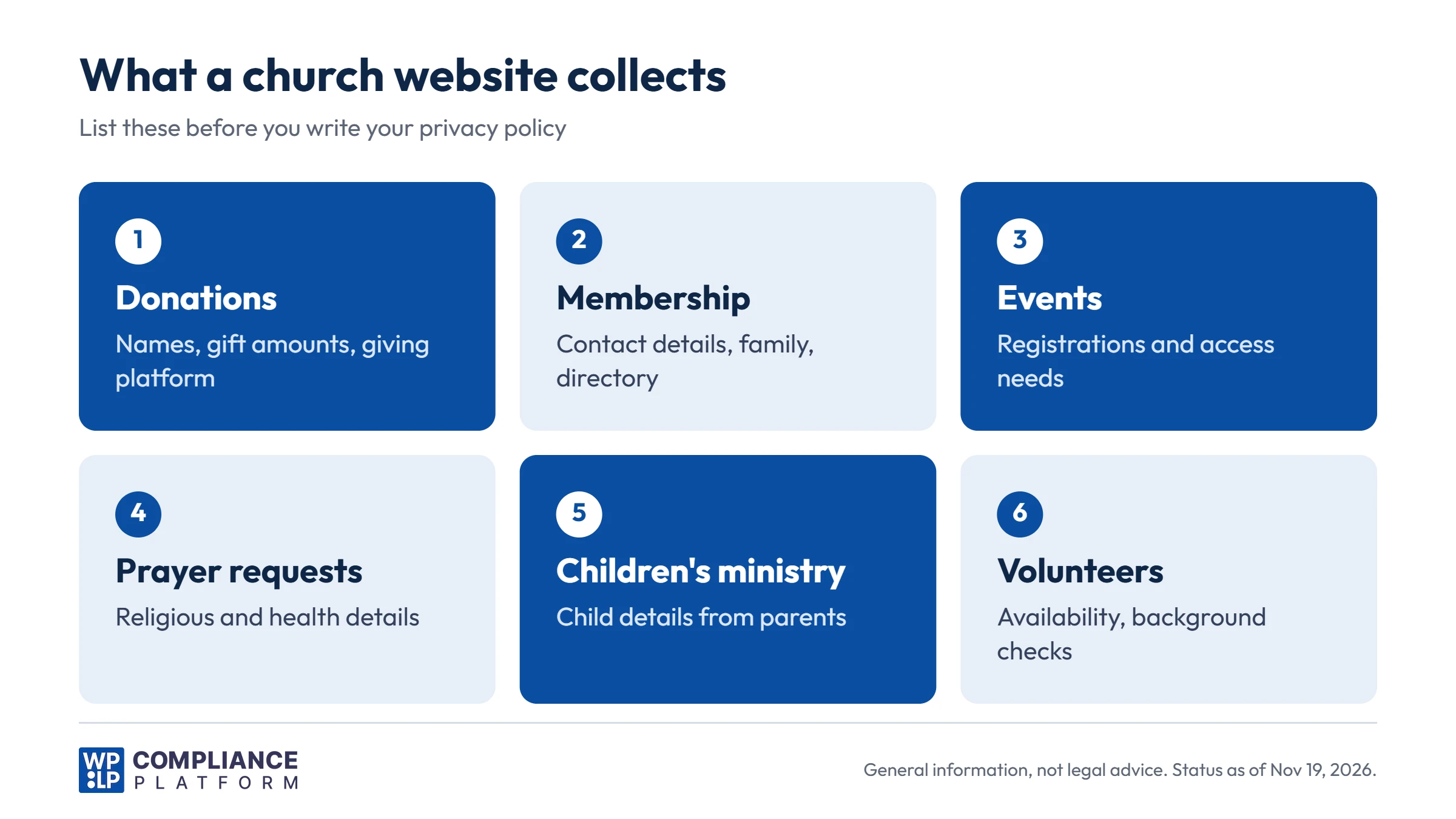
| Activity | What you may collect | What to disclose |
|---|---|---|
| Online giving | Name, email, address, gift amounts. Card details stay with the giving platform | Which platform you use, who sees giving records, how long you keep them |
| Membership and directory | Contact details, family members, photos | Who can see the directory, how to change or remove a listing |
| Events and services | Names, contact details, dietary or access needs | Why you collect it and when you delete it |
| Prayer requests and pastoral care | Names, religious beliefs, health or family details | Who reads requests, how sharing works, how long you keep them |
| Children’s and youth ministry | Child’s name, age, allergies, parent contacts, photos | That parents provide it, who has access, your photo rules |
| Volunteers | Contact details, availability, background check results | Which checks you run and who sees the results |
| Newsletter and website analytics | Email address, IP address, cookies | Which tools you use and how to opt out |
Also list the tools behind your website: analytics, embedded video or livestream players, social media plugins, and email marketing services. Each one may collect data or set cookies, and your policy should name them.
Which privacy laws apply to a church?
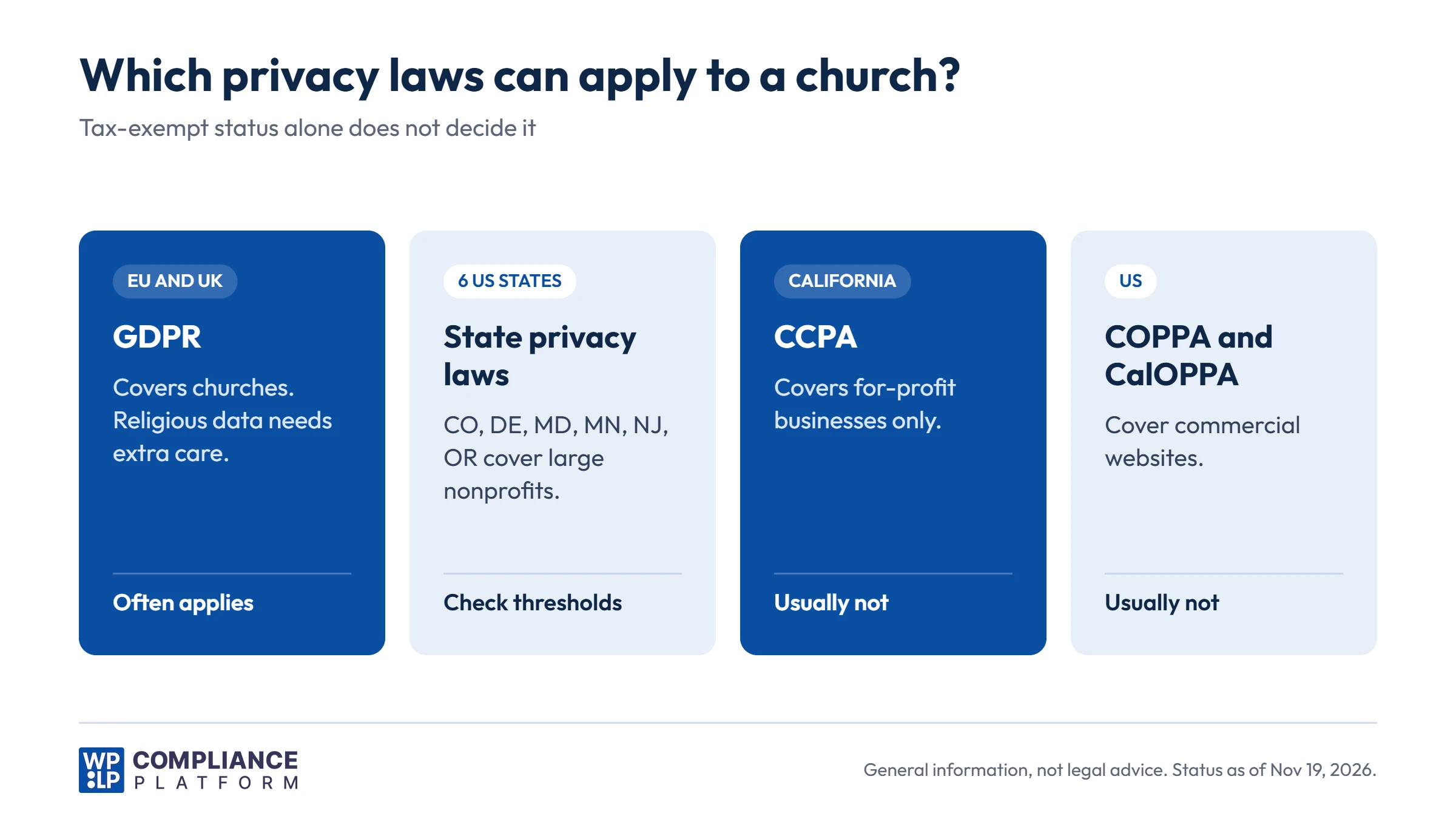
There is no single “church privacy law”. Which rules apply depends on where your church is, where your website visitors are, how large it is, and what it collects. Tax-exempt status does not answer the question by itself.
GDPR and UK GDPR (Europe and the UK)
The GDPR applies to churches and other religious organizations in the EU, with no exemption for nonprofits. The UK GDPR applies the same way in the UK. Under Article 3(2), it can also apply to a church outside Europe that offers services to people in the EU or monitors their behavior online.
Religious belief is one of the “special categories” of personal data under Article 9. Processing it is prohibited unless an exception applies. Two matter most for churches:
- Article 9(2)(d): a not-for-profit body with a religious aim can process data about its members, former members, and people in regular contact with it, with appropriate safeguards. It must not share that data outside the church without the person’s consent.
- Article 9(2)(a): explicit consent, for example on a prayer request form that will be shared with a prayer team.
Article 91 also lets churches in some EU countries apply their own data protection rules, if those rules are in line with the GDPR. Check with your denomination if you are in the EU. For a broader checklist, see our GDPR compliance checklist.
California Consumer Privacy Act (CCPA)
The CCPA, as amended by the California Privacy Rights Act (CPRA), applies to a “business”, which the law defines as an entity operated for profit (California Civil Code Section 1798.140). Most churches are not covered. A for-profit company run by or for a church, such as a bookstore or media company, may be. Our CCPA guide explains the thresholds.
California Online Privacy Protection Act (CalOPPA)
CalOPPA is a different law from the CCPA. It requires a posted privacy policy from operators of websites that collect personally identifiable information from California residents and are operated for commercial purposes (Business and Professions Code Section 22575 and following).
Most church websites are not commercial. A church site that sells products or paid tickets online is less clear. Many churches follow CalOPPA’s list anyway, because it is short: what you collect, who you share it with, how people can review or correct it, how you announce changes, and how your site responds to Do Not Track signals.
Children’s Online Privacy Protection Act (COPPA)
COPPA is a US federal law about collecting personal information online from children under 13. It applies to commercial website operators. Nonprofits are generally outside COPPA, unless they operate for the profit of commercial members.
That doesn’t make children’s data a low-risk area. Collect registrations for kids’ programs from parents, not from the children. Ask parents before you post photos of children or use their names online.
US state privacy laws
Most US state privacy laws exempt nonprofits. Six do not exempt them broadly: Colorado, Delaware, Maryland, Minnesota, New Jersey, and Oregon. These laws apply to nonprofits that meet their thresholds, which are usually based on how many state residents’ data you process each year. For example, the Colorado Privacy Act applies to organizations that process the data of 100,000 or more Colorado consumers a year, or 25,000 or more while earning revenue from selling data.
A small local congregation is unlikely to meet these thresholds. A large multi-site church, a national ministry, or a church with a big online audience may. See our guide to US state privacy laws for each state.
Other laws to check
- Background checks for volunteers: if you use a background check company, ask it which disclosure and consent forms you need.
- Email marketing: newsletters need an unsubscribe link. In the EU and UK, marketing emails usually need opt-in consent.
- Cookies: in the EU and UK, non-essential cookies such as analytics need consent first. A cookie consent banner handles this.
- Payments: your giving platform handles card data under its own security rules. Your policy should name the platform and link to its privacy policy.
When you are unsure whether a law applies, ask a lawyer who works with churches or nonprofits. The cost of one review is small compared with fixing a policy that promised the wrong things.
How to handle sensitive church information
Prayer requests and pastoral care
Prayer requests can reveal religious belief, health conditions, and family problems. On your form:
- Say who will see the request: the pastor only, a prayer team, or the whole congregation.
- Give a choice, for example “Keep this private” or “Share with the prayer team”.
- Don’t publish names or details online without clear permission.
- Delete old requests on a set schedule.
Children’s and youth ministry
- Collect registrations from a parent or guardian.
- Ask only for what you need: name, age, emergency contact, allergies, and pickup permissions.
- Limit access to the leaders who need it.
- Get a parent’s permission before posting photos, videos, or names online.
Member directories
- Ask members before you add them to a directory, and let them choose which details to show.
- Put online directories behind a login.
- Remove former members when they leave.
Donations
- Name the giving platform you use and link to its privacy policy.
- Say who in the church can see giving records, for example the treasurer and finance team.
- Keep records for as long as tax rules require, then delete them.
Livestreams, photos, and video
If you stream or record services, say so on your website and with a notice at the entrance. Tell people which areas the camera covers, so they can sit outside the shot.
How to create a church privacy policy in WordPress
The free WPLP Legal Pages plugin generates a privacy policy from your answers and publishes it as a normal WordPress page.
Step 1: Install the plugin
In your WordPress dashboard, go to Plugins and click Add New. Search for “WPLegalPages”, then click Install Now and Activate.
Step 2: Add your church’s details
Open WPLP Legal Pages and fill in your details once: your church’s name, address, website, and phone number. Every page you generate uses them.
Step 3: Generate the privacy policy
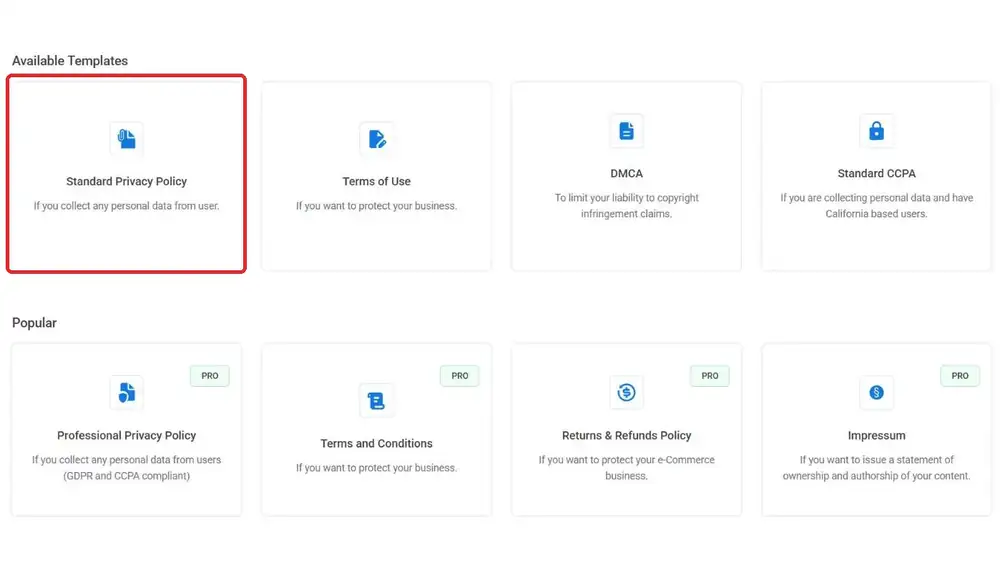
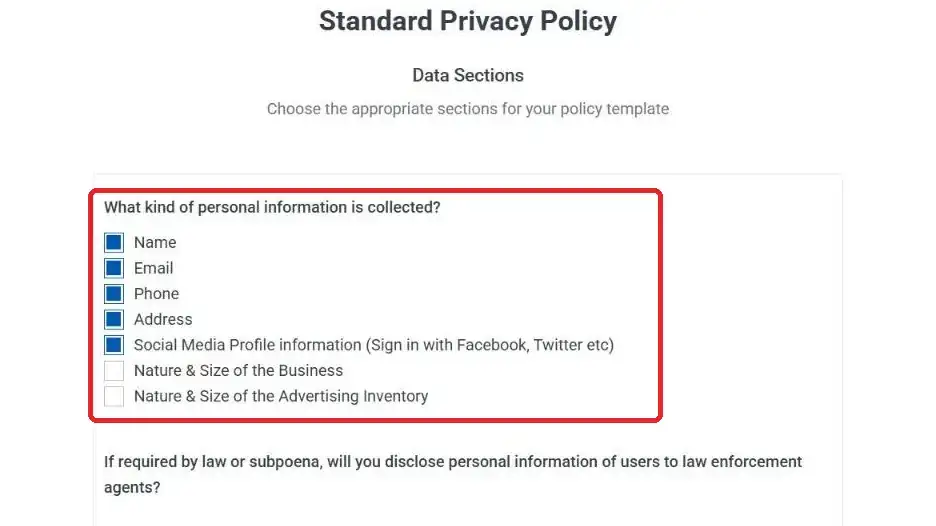
Choose the Standard Privacy Policy and answer the questionnaire about what your site collects, such as contact forms, analytics, newsletter sign-ups, and payments. The plugin then creates the page.
Step 4: Add the church-specific sections and publish
The generated page is a standard WordPress page, so you can edit it in the block editor, Elementor, or Divi. Add church-specific sections, such as prayer requests, children’s ministry, and member directories. Then publish.
What’s free and what’s paid: the free plugin includes a Privacy Policy, Terms of Use, DMCA Notice, and CCPA Privacy Notice. Paid plans add 30+ more legal pages, including a GDPR Privacy Policy, a Professional Privacy Policy that covers GDPR and CCPA, a COPPA policy, and a Cookie Policy. See the pricing page for details. A generated policy is a draft. Review it against your church’s real practices before you publish.
Where to display your church privacy policy
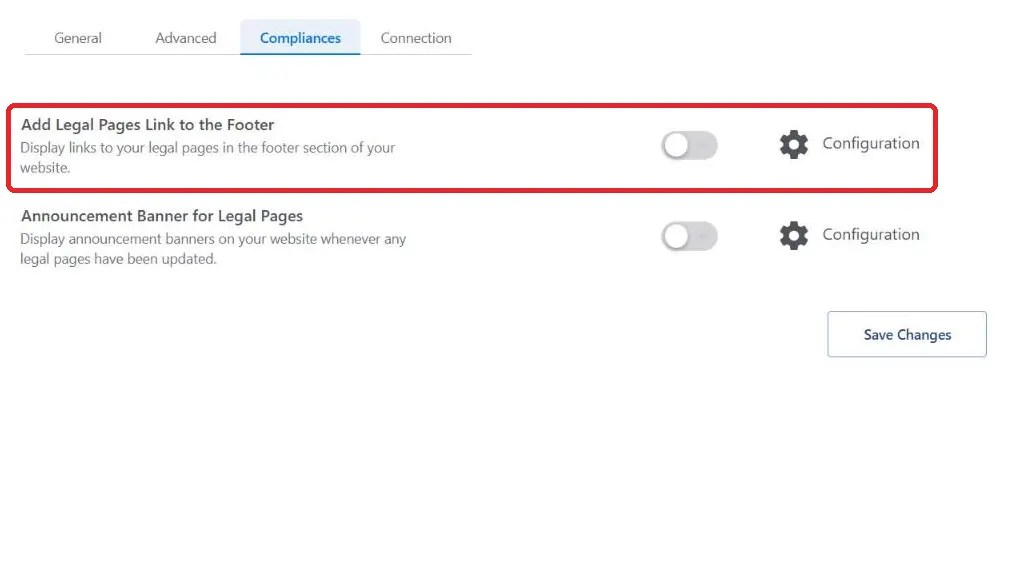
- Footer: a “Privacy policy” link on every page.
- Forms: a link next to the submit button on contact, prayer request, event, and volunteer forms.
- Giving page: a link near the donation form.
- Kids’ program registration: a link and a short note on how you use the information.
- Newsletter sign-up: a link under the email field.
- Church app: a link in the app’s settings menu, if you have one.
Members may also want a single place to change their choices or ask for their data. Our guide to interactive privacy centers explains how to set one up, and our DSAR guide covers how to answer data requests.
Frequently asked questions
Usually, yes. If your site collects any personal information, such as contact forms, donations, or newsletter sign-ups, a privacy policy tells people how you use it. The GDPR requires one for churches in the EU and UK, and some US laws require one depending on your size and activities.
Usually not. The CCPA applies to businesses operated for profit. A for-profit company connected to a church, such as a bookstore or media company, may be covered if it meets the CCPA thresholds.
COPPA covers commercial website operators, so most churches are outside it. Still collect children’s information from parents, and get a parent’s permission before you post photos or names of children.
Yes. Religious belief is a special category of personal data under GDPR Article 9. A church can process it for members and regular contacts with safeguards, but it must not share it outside the church without consent.
Say who reads them, whether they are shared with a prayer team or the congregation, how people can choose to keep them private, and how long you keep them.
Link it in the footer of every page, and next to any form that collects personal information, such as giving, prayer request, event, and kids’ program forms.
Conclusion
A good church privacy policy starts with an honest list of what the church collects: donations, member details, prayer requests, children’s registrations, and website analytics.
From there, check which laws apply, decide who can see each type of data and for how long, and write it down in plain words. Pay extra attention to anything that reveals religious belief or involves children.
A generator such as WPLP Legal Pages turns your answers into a page quickly. It doesn’t replace the decisions above, so review the result and update it when your church adds a new form or tool.
This article is general information, not legal advice. Laws and regulations change. Check the rules that apply to your church with a qualified lawyer.