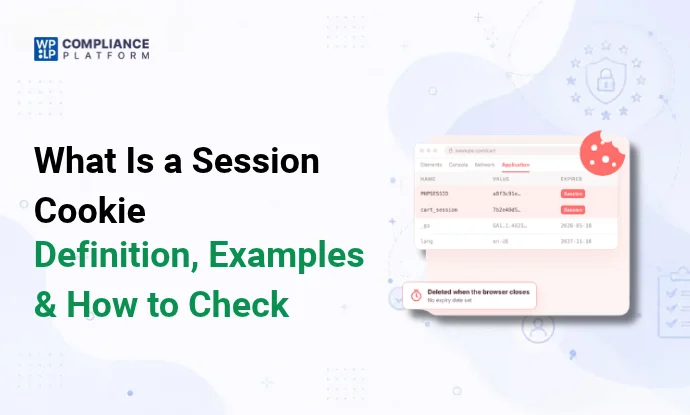
A session cookie is a cookie with no expiry date set. The browser deletes it when the browsing session ends, which is usually when the browser closes.
The browser decides when a session ends. If it’s set to restore your tabs on startup (Chrome’s “Continue where you left off”, for example), it can keep session cookies across restarts. MDN’s cookie guide notes the same behavior.
How a session cookie works
A cookie is a small piece of data that a website asks your browser to store. The server sends it in a Set-Cookie header. If that header has no Expires or Max-Age attribute, it’s a session cookie:
Set-Cookie: sessionid=a3f8c2e9; Path=/; Secure; HttpOnly; SameSite=LaxAdd an expiry and it becomes a persistent cookie:
Set-Cookie: sessionid=a3f8c2e9; Path=/; Max-Age=1209600; Secure; HttpOnly; SameSite=LaxOn each later request to the same site, the browser sends the cookie back. The server reads the value, often a random session ID, and looks up what it stored for that visitor: who’s logged in, or what’s in the cart.
Two details people often get wrong:
- Session cookie vs server session. The cookie lives in the browser until the browser session ends. The data it points to lives on the server, and the server decides when that expires. When a site logs you out after 30 minutes of inactivity, the server has expired its session. The cookie in your browser may still be there.
- Where a cookie can be read. A cookie is stored in one browser on one device. The browser sends it only to the domain and path it was set for.
HttpOnlystops page scripts from reading it, andSecuresends it only over HTTPS. Those protections come from attributes, not from it being a session cookie.
Session cookie examples
- Shopping carts: keeping the items you added while you browse other pages.
- Logins: keeping you signed in as you move between pages.
- Forms: remembering what you entered across a multi-step form.
- Security: a token that protects forms against cross-site request forgery.
- Load balancing: sending your requests to the same server.
Session vs persistent cookies
| Session cookie | Persistent cookie | |
|---|---|---|
| Expiry | None set. Deleted when the browser session ends | A date or a number of seconds (Expires or Max-Age) |
| Survives a browser restart? | Usually not. It can if the browser restores your session | Yes, until it expires or you clear it |
| Where it’s stored | In your browser, for the site that set it. How the browser stores it is up to the browser | Same |
| Typical use | Carts, logins, form steps, security tokens | “Remember me”, language settings, analytics, advertising |
| Needs consent? | Depends on its purpose and the law where your visitors are, not its expiry. See the consent section | Same |
How long a cookie lasts doesn’t decide whether it needs consent. What it’s used for does. For the other cookie categories, see functional cookies, analytical cookies and tracking cookies.
How to check for session cookies in your browser
In Chrome:
- Open the site and press F12 (or right-click and choose Inspect).
- Go to the Application tab.
- Under Storage, expand Cookies and click the site’s domain.
- Look at the Expires / Max-Age column. Session cookies show Session. Persistent cookies show a date.
For Firefox, Safari and Edge, see how to view cookies in Chrome and other browsers.
The browser only shows cookies set on the pages you’ve visited. To list every cookie across your whole site, run a cookie scan with WPLP Cookie Consent. It crawls your pages and sorts each cookie by type.

Session cookies in WordPress
WordPress sets a few cookies of its own, and WooCommerce adds more. Here’s which are session cookies and which persist:
| Cookie | Set by | Session or persistent | What it does |
|---|---|---|---|
wordpress_test_cookie | WordPress | Session | Checks that your browser accepts cookies before you log in |
wordpress_[hash], wordpress_sec_[hash] | WordPress | Session. With “Remember Me”: persistent, 14 days | Keeps you logged in to the admin area |
wordpress_logged_in_[hash] | WordPress | Session. With “Remember Me”: persistent, 14 days | Tells WordPress who you are on the front end |
wp-settings-{user ID}, wp-settings-time-{user ID} | WordPress | Persistent, 1 year | Saves your admin screen settings |
comment_author_{hash} (and _email_, _url_) | WordPress | Persistent, 1 year | Remembers commenter details, only if the commenter ticks the “save my details” box |
wp-postpass_{hash} | WordPress | Persistent, 10 days | Remembers the password for a protected post |
woocommerce_cart_hash | WooCommerce | Session | Tracks changes to the cart |
woocommerce_items_in_cart | WooCommerce | Session | Records whether the cart has items |
wp_woocommerce_session_{hash} | WooCommerce | Persistent: 2 days for guests, 7 days for logged-in customers | Links your browser to your cart data on the server |
woocommerce_recently_viewed | WooCommerce | Session | Powers the “Recently viewed products” widget (set only when the widget is active) |
How we checked: we read the code that sets each cookie in WordPress 7.1 and WooCommerce 11.3.0 on November 12, 2026 (wp_set_auth_cookie, wp_set_comment_cookies, WC_Session_Handler and wc_setcookie). These are the defaults. Plugins, themes and filters such as auth_cookie_expiration and wc_session_expiration can change them, so scan your own site to see what it actually sets.
Login cookies have 2 timers. Without “Remember Me”, the login cookie is a session cookie, so the browser drops it when the session ends. The value inside it also carries a server-side expiry of 2 days. Leave the browser open for 3 days and WordPress still asks you to log in again. With “Remember Me”, the login lasts 14 days, and the browser keeps the cookie 12 hours past that.
The cookies in this table are strictly necessary for the feature they support. Plugins you add, such as analytics, chat or ads, set more cookies, and those often need consent. For store-specific rules, see privacy compliance for WooCommerce stores.
Do sessions work if cookies are disabled?
Usually not. Most sites need cookies to keep a session going, and WordPress is one of them. With cookies blocked, the WordPress login page shows “Cookies are blocked or not supported by your browser”, and a WooCommerce cart won’t hold items between pages.
Why: without a cookie, the server can’t tell your next request apart from anyone else’s.
The fallback, and why few sites use it: a site can put the session ID in the URL instead, for example example.com/cart?sid=a3f8c2e9. PHP supports this with session.use_trans_sid, but it’s off by default. It’s risky:
- The session ID shows up in browser history, server logs and analytics.
- It can leak to other sites through the Referer header when you click a link.
- If you share or bookmark the URL, someone else can take over your session.
- Caching and search engines can treat each ID as a separate page.
So most sites accept only cookie-based sessions and ask visitors to enable cookies.
Do session cookies need consent?
It depends on what the cookie does and where your visitors are. How long it lasts doesn’t decide it.
EU. Article 5(3) of the ePrivacy Directive (full text on EUR-Lex) requires consent before you store information on a visitor’s device. It exempts storage that’s strictly necessary to provide a service the visitor asked for.
- Exempt: session cookies for logins, shopping carts, form input, security and load balancing. EU regulators named these as examples in Article 29 Working Party Opinion 04/2012.
- Not exempt: session cookies for analytics, advertising or social media tracking. A short lifespan doesn’t make a cookie necessary. Some national regulators allow narrow exceptions. France’s CNIL, for example, exempts some audience measurement under strict conditions (CNIL guidance).
UK. PECR has the same strictly necessary exception. It also has a “statistical purposes” exception for analytics: no consent is needed if you give clear information and an easy way to object. See the ICO’s guidance on the exceptions.
US. Most states don’t require consent before cookies are set. Laws such as the CCPA can require notice and an opt-out when cookies are used to sell or share personal data.
Everywhere: if a cookie identifies a person, privacy law (such as the GDPR) also applies to the data, and your privacy policy must explain it. List your cookies in a cookie policy. See cookie notice vs cookie policy.
To block non-essential cookies until a visitor agrees, use a consent banner such as WPLP Cookie Consent.
FAQ
What is a session cookie?
A cookie with no expiry date set. The browser deletes it when the browsing session ends, usually when you close the browser.
What’s the difference between session and persistent cookies?
A persistent cookie has an expiry date and stays on your device until then. A session cookie has none and is deleted when the session ends.
Are session cookies safe?
They’re as safe as the site sets them up to be. Look for the Secure, HttpOnly and SameSite attributes in DevTools. If someone steals a session cookie, they can take over that session until it ends.
Does WordPress use session cookies?
Yes. The login cookies are session cookies unless you tick “Remember Me”, and WooCommerce uses session cookies for the cart.
Do session cookies need consent?
In the EU, not if they’re strictly necessary, like login or cart cookies. Session cookies used for analytics or ads need consent under Article 5(3) of the ePrivacy Directive. The UK also allows analytics cookies without consent if you inform visitors and let them object. Most US states don’t require consent before cookies are set.
Related reading
This article explains how cookies work. It isn’t legal advice.