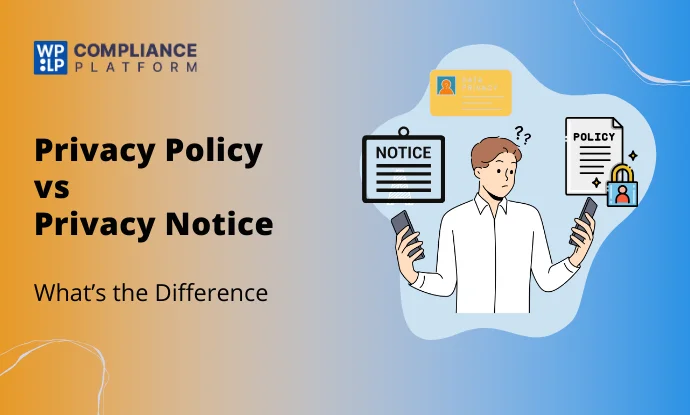
Short answer: A privacy policy is the full description of how your site handles personal data. A privacy notice is the information you give people at the moment you collect their data. The notice is often a short layer that links to the policy. The law cares that people get the right information at the right time, not what you call the document.
- Privacy policy: complete, always available, usually a page linked from your footer.
- Privacy notice: short, shown at or before collection, next to the form or in a banner.
- One or two documents? Under the GDPR, one well-built policy can do both jobs if people see it at the point of collection. The CCPA asks for both a privacy policy and a “notice at collection”, but the notice can be a link to the right section of the policy.
What is a privacy policy?
A privacy policy is the complete public statement of how your organization collects, uses, shares, keeps and protects personal data. It covers every activity on your site, not just one form.
A typical privacy policy covers:
- Who you are and how to contact you (and your data protection officer, if you have one).
- What personal data you collect, and from where.
- Why you use it, and the legal basis for each purpose.
- Who you share it with, including service providers and other countries.
- How long you keep it.
- What rights people have, and how to use them.
- How you use cookies and tracking technologies.
- When you last updated it.
It usually lives on its own page, linked from the footer. You can create a privacy policy for a WordPress site by hand or with a generator.
What is a privacy notice?
A privacy notice is the information you give a person when you collect their data. It tells them, at that moment, what you’re collecting, why, and where to find more.
A privacy notice can take several forms:
- A few lines next to a sign-up or contact form.
- A cookie banner that explains your cookies and offers choices.
- A short statement at checkout about payment and delivery data.
- A sign at a physical event, or a script read out on a phone call.
- A full document, when it’s shown at the point of collection.
The terms overlap in practice. Some organizations call their full policy a “privacy notice” or a privacy statement. What matters is the job the text does.
Are a privacy policy and a privacy notice the same thing?
Not quite, but they overlap more than most guides suggest.
The GDPR doesn’t use either term. It requires you to give people specific information (Articles 13 and 14) in a “concise, transparent, intelligible and easily accessible form” (Article 12). EU regulators’ transparency guidelines use “privacy statement/notice” for the document that does this, and they recommend a layered approach.
California’s CCPA uses both terms, for two separate requirements. The privacy policy is a full description of your practices. The notice at collection is the information given at or before the point you collect data.
So the useful question is: does each person get the required information at the right moment, in a form they can read? If yes, you’re covered, whatever the documents are called.
Key differences between a privacy policy and a privacy notice
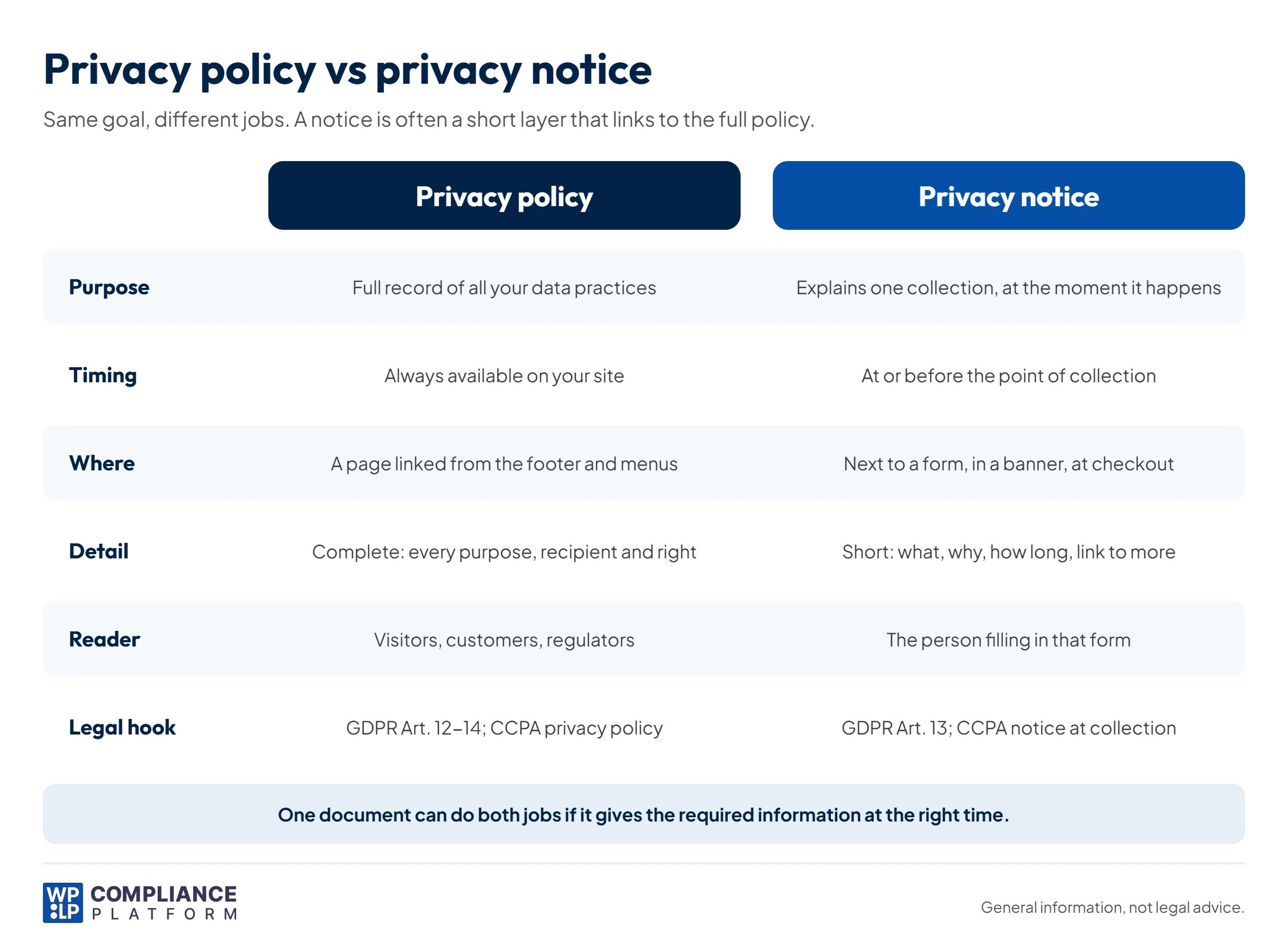
The differences come down to 5 things: purpose, timing, audience, level of detail and format.
| Privacy policy | Privacy notice | |
|---|---|---|
| Purpose | Describes all of your data practices in one place | Explains one specific collection of data |
| Timing | Always available | At or before the point of collection |
| Audience | Anyone: visitors, customers, regulators | The person whose data you’re collecting right now |
| Detail | Complete: every purpose, recipient, retention period and right | Short: what, why, how long, and a link to the full policy |
| Format | A dedicated page, usually linked from the footer | Text beside a form, a banner, a pop-up, or a link to a policy section |
| Main legal hooks | GDPR Articles 12 to 14; CCPA privacy policy (Cal. Code Regs. tit. 11, § 7011) | GDPR Article 13; CCPA notice at collection (§ 7012) |
Can one document serve as both?
Under the GDPR, yes. One privacy policy can meet Articles 13 and 14 if it contains all the required information and people can see it when you collect their data. In practice, that means a short first layer at the form with a clear link to the full policy. The regulators’ guidance says the first layer should name the controller and the purposes, and describe people’s rights.
Under the CCPA, partly. You need a privacy policy, and you need a notice at collection. But for online collection, the notice can be a link that takes people directly to the right section of your privacy policy. A link to the top of the policy isn’t enough if people have to scroll to find the information.
So most websites don’t need two separate legal documents. They need one complete policy and short notices at each collection point that link to it.
Example: privacy information on a WordPress store
This is an illustrative example, not a real customer case.
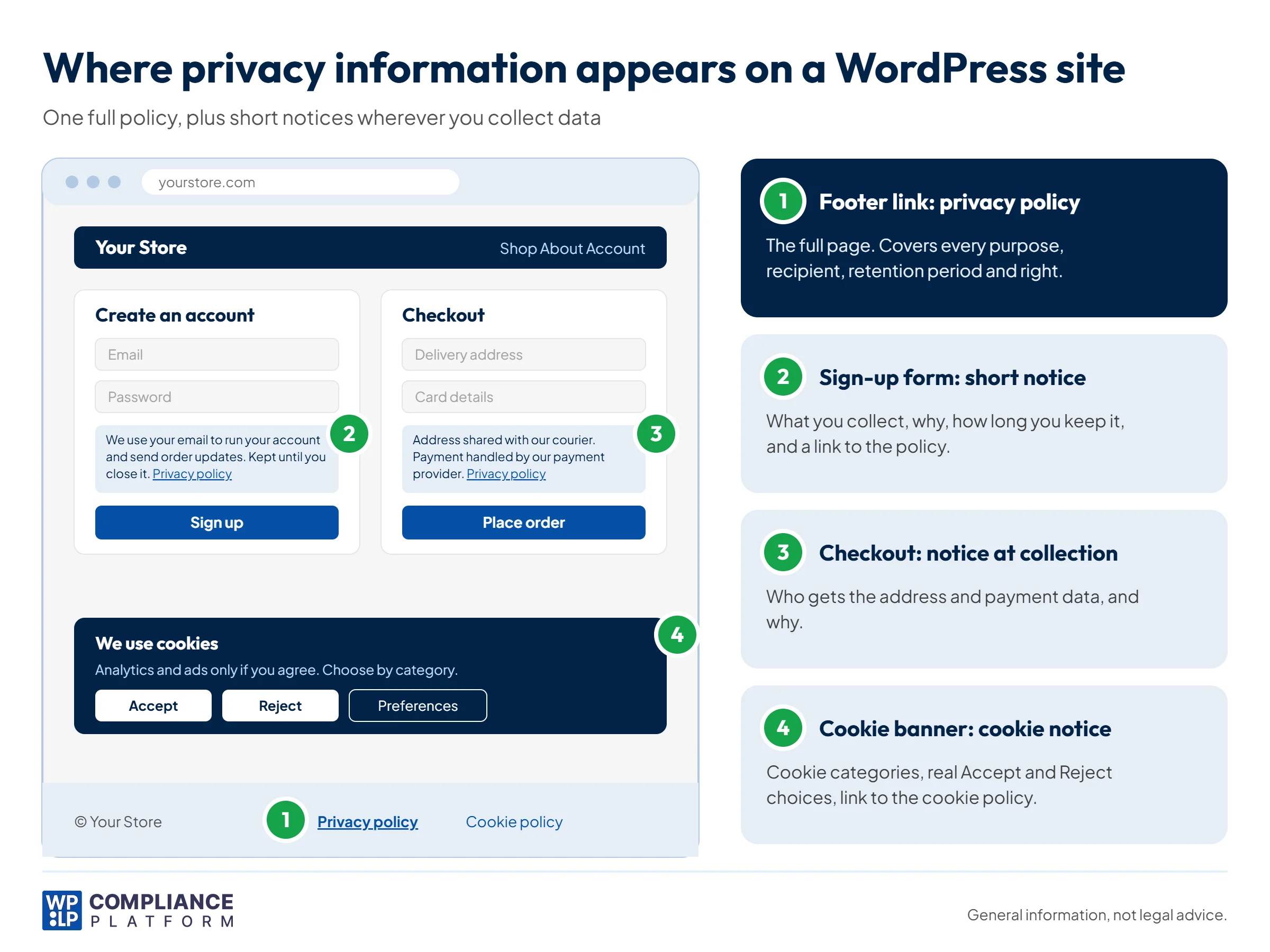
A small WooCommerce store sells to customers in the EU and California. It collects data in 4 places, and each one gets the right kind of privacy information.
1. The privacy policy page
Linked from the footer of every page, with the word “privacy” in the link text. It covers all 4 collection points, plus server logs, analytics, payment providers, couriers, retention periods, user rights and how to contact the store. It shows a “last updated” date.
2. The account sign-up form
A short notice sits just above the “Sign up” button:
We use your email address to run your account and send order updates. We keep it until you close your account. Read our privacy policy to learn about your rights.
The link goes straight to the “Customer accounts” section of the privacy policy, not to the top of the page.
3. The checkout
A notice beside the payment fields says the delivery address goes to the courier and card details go to the payment provider. It links to the “Orders and payments” section of the policy.
4. The cookie banner
The banner explains which cookie categories the site uses and gives equal “Accept” and “Reject” choices. Analytics and advertising cookies only run after the visitor agrees. The banner links to the store’s cookie policy. (See cookie notice vs cookie policy for how these two differ.)
The result: one complete policy and 3 short notices. Each notice answers what, why and how long, then links to the detail. For more on store setups, see our guide to privacy compliance for WooCommerce stores.
What the GDPR requires
The GDPR applies to organizations that process personal data of people in the EU, in the ways its scope rules define. For privacy information, 4 rules matter most.
1. You need a lawful basis for each purpose. Article 6 lists 6: consent, contract, legal obligation, vital interests, public task and legitimate interests. Consent is one option. Many website activities, such as processing an order, rely on contract instead. Your privacy information must state the basis you rely on for each purpose.
2. The information must be clear and easy to find. Article 12 requires a concise, transparent, intelligible and easily accessible form, in clear and plain language.
3. Timing depends on where the data comes from.
- Data collected from the person: give the information at the time you collect it (Article 13).
- Data from another source: give it within a reasonable period, and at the latest within 1 month. If you contact the person or share the data first, give it then (Article 14).
4. The content is set by law. Article 13 requires your identity and contact details, the purposes and lawful basis, any legitimate interests you rely on, recipients, transfers outside the EU, retention periods, people’s rights, the right to withdraw consent, the right to complain to a regulator, and any automated decision-making.
Penalties: Breaches of the transparency rules in Articles 12 to 14 fall under Article 83(5). Fines can reach EUR 20 million or 4% of total worldwide annual turnover for the previous year, whichever is higher.
See our guide to adding a GDPR privacy policy to a WordPress site.
What the CCPA and CPRA require
The CCPA, as amended by the CPRA, applies to for-profit businesses that collect California residents’ personal data and meet at least one threshold. One threshold is annual gross revenue above USD 26,625,000 (as adjusted from January 1, 2025). The others relate to the volume of personal data a business buys, sells or shares. See CPRA vs CCPA for the differences between the two.
1. A privacy policy. It must give a comprehensive description of your online and offline practices and people’s rights. Post it online behind a conspicuous link that uses the word “privacy”, and show the date it was last updated.
2. A notice at collection. Give it at or before the point of collection. It must list the categories of personal information, the purposes, whether you sell or share each category, how long you keep it, and links to your opt-out notice (if you sell or share) and your privacy policy. On a web form, the link must sit close to the fields or the submit button.
Penalties: From January 1, 2025, administrative fines and civil penalties are up to USD 2,663 per violation, or USD 7,988 per intentional violation or violation involving consumers under 16.
Private lawsuits are limited. Consumers can sue only over certain data breaches. The breach must involve specific types of nonencrypted and nonredacted personal information, and it must result from the business failing to keep reasonable security. Statutory damages are USD 107 to USD 799 per consumer per incident, or actual damages if higher. Consumers can’t sue under the CCPA for a missing or weak privacy notice.
When to use a full policy, a short notice or a layered notice
| Situation | What to use |
|---|---|
| Describing everything your site does with personal data | Full privacy policy, linked from every page |
| Contact, sign-up or newsletter form | Short notice beside the form, linking to the relevant policy section |
| Checkout or payment | Short notice about who receives payment and delivery data |
| Cookies and tracking | Cookie banner with choices, linking to a cookie policy |
| Data you get from a partner, not the person | Notice within 1 month, or at first contact (GDPR Article 14) |
| Phone or in-person collection | Short spoken or printed notice, then the full policy by email or link |
A layered notice combines the two: a short first layer with the key facts, and a link to the full detail. EU regulators recommend this approach for websites.
Avoid notices that push people toward one choice. See how to avoid dark patterns and common privacy policy mistakes.
Frequently asked questions
A privacy policy describes all of your data practices in one place. A privacy notice gives people the key facts when you collect their data, usually with a link to the full policy.
You need to give people the required information at the right time. Under the GDPR, one policy can do this if people see it at the point of collection. Under the CCPA, you need a privacy policy and a notice at collection, but the notice can link to the right section of the policy.
No. Consent is one of 6 lawful bases in Article 6. You can also rely on contract, legal obligation, vital interests, public task or legitimate interests. You must tell people which basis you use.
At or before the point of collection: next to a form’s fields or submit button, in a cookie banner, or at checkout. Your full privacy policy should be linked from every page, usually in the footer.
No. The CCPA’s private right of action covers only certain data breaches caused by poor security. Notice failures are enforced by the California Privacy Protection Agency and the Attorney General.
Conclusion
A privacy policy and a privacy notice do two jobs:
- The policy is your complete record, always available.
- The notice gives people the key facts when you collect their data.
Most websites need one complete policy and short notices at each collection point that link to it. Check that each notice says what you collect, why, and how long you keep it.
Need a privacy policy for your WordPress site? Create one with WPLP Legal Pages, then use WPLP Cookie Consent for your cookie banner.
Disclaimer: This article is general information, not legal advice. Requirements depend on where you operate and who your users are. Check the primary sources and get advice from a qualified lawyer.
Related reading
- Essential legal pages every website needs
- Best privacy policy examples
- How strict are cookie consent laws in Asia-Pacific?
- ePrivacy Directive vs GDPR
- Privacy policy generators for WordPress
- What is a Data Subject Access Request (DSAR)?
- Data privacy laws around the world
- Oregon Consumer Privacy Act: an overview
- EU AI Act: a guide to Europe’s AI regulation